GUIDED WALKTHROUGH
Open the interactive storefront demo → · Start your personal admin demo →
Explore the subscription journey.
Five examples explain the current candidate. No account is created, no data is sent and no payment is processed. This is a guided presentation, not a live WordPress sandbox.

A recurring digital purchase
- Create the plan
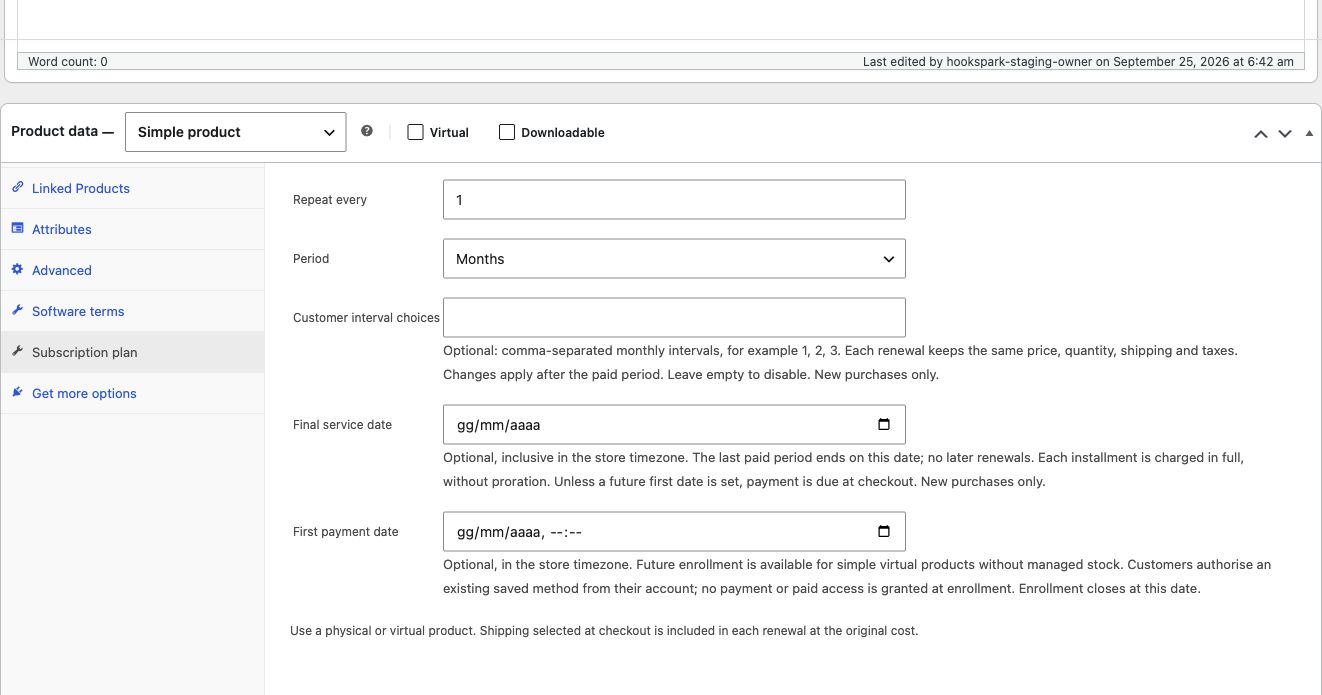
Choose a virtual product, a monthly price and Repeat every 1 Month. The normal WooCommerce price remains the basis of the purchase.
- Complete a test checkout
Use a signed-in account and a supported sandbox gateway. Review the recurring consent. An approval that remains pending is not yet paid.
- Review the paid period
Open My account → Subscriptions and compare the agreed amount with the paid order. Software entitlements use the separate HookSpark Licensing integration, when configured.

A monthly delivery at the agreed cost
- Keep the product physical
Leave Virtual off. Set a sample price of €24 and configure stock and shipping. The real editor screenshot below shows the monthly plan.
- Include the shipping charge
In the tested example, €24 plus €5 shipping gives €29 per renewal. Shipping address, method, cost and taxes are retained from the initial checkout.
- Fulfill the paid order
Before a fresh charge, stock is checked. The paid renewal is a normal physical order in Processing. A separate delivery calendar and automatic rate changes are not included.
Payment attention without losing the order
- A payment needs attention
A Stripe authentication requirement or a confirmed PayPal instrument decline can open the supported recovery path. An uncertain response requires reconciliation first.
- Recover the unpaid renewal
The customer completes the provider’s supported flow. A verified payment updates the same WooCommerce renewal and extends the paid period once. This walkthrough does not submit a payment.
- Stop future renewals
The customer cancels from My account → Subscriptions. Future renewals stop; already paid coverage remains until expiry. No automatic refund is implied.
A customer confirms a new schedule
- Choose permitted intervals
The merchant enables monthly choices for new purchases. Each installment keeps its original price, quantity, shipping and taxes.
- Preview without charging
The customer chooses an interval in My account. The preview shows the amount, next due date and following payment date; no payment happens now.
- Confirm future dates
Confirmation preserves paid history and the next due date. An already-created renewal or stale preview requires a fresh review.
Enroll now, pay from the agreed date
- Set November through June
Create a simple virtual course with a future first date and a fixed inclusive end date. Monthly installments from November through June produce no July charge.
- Authorize without an initial charge
The customer saves a method through the native WooCommerce gateway and confirms the enrollment preview. The original order stays unpaid and no paid period or license is granted.
- First payment or pay in full
At the agreed date the original order is charged. A separate full-price WooCommerce product can cover the same service period without creating recurring payments.
See the real product controls.