
 HS Request a Quote
for WooCommerce
Collect complete quote requests. Send proposals that look like your business. Turn accepted quotes into WooCommerce orders.
- Make requesting a quote easyCustomers see what they added and review products, variations and quantities in one dedicated quote list.
- Send proposals with your own identityChoose from three layouts, add your logo and brand color, and reuse templates for your next proposal.
- Keep agreed terms togetherPublished revisions preserve the proposal’s prices and conditions, with a reference in the resulting WooCommerce order.
- Choose who can buy or request a quoteSet product and customer rules, hide Add to cart where needed, or require a quote before purchase.
- Collect the details your team needsCustomize the request form with required and conditional fields, plus private attachments.
- Keep requests and follow-ups organizedAssign requests, track replies and configure reminders for proposals and unpaid quote orders.
$99.00/year$0.00/yearSave $99.00
First year only · 1 site Then $99.00/year.
Auto-renews annually. Turn off renewal anytime in your account.
1 year of updates & support included.
30-day first-purchase refund, subject to our business terms and refund policy.
FROM ENQUIRY TO ORDER
A quote workflow customers and store teams can follow.
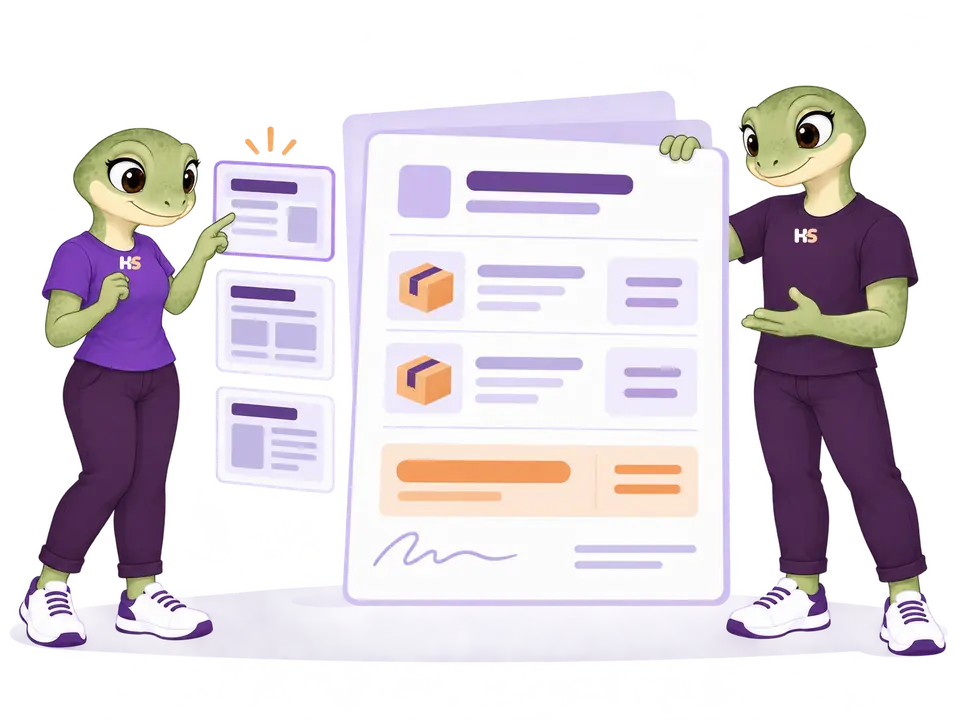
Each step has one job: collect the request, prepare the proposal, record the decision and create the WooCommerce order only when the merchant is ready.
01 / COLLECT
Let customers request the products they actually need.
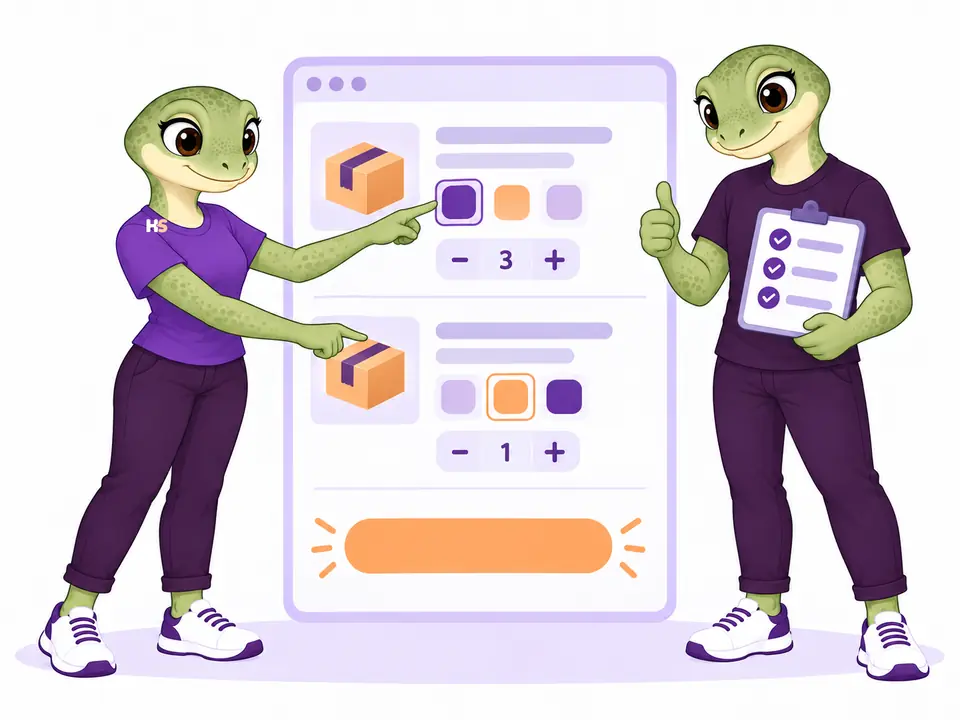
Eligible products keep their variations, quantities, Product Options & Add-Ons choices and optional desired prices. Guests and account customers can use the same dedicated quote list.
- Keep Add to cart visible or hide it separately in the shop and product pages.
- Validate stock, audience and quantity rules on the server.
- Show a clear confirmation without creating an order or payment.
02 / PRESENT
Build a proposal that looks like your business.
Edit lines, discounts, shipping, fees, introduction and terms. Choose Classic, Editorial or Compact, then add company details, logo, brand color and an optional signature graphic.
- Preview the current draft before publishing.
- Save, duplicate, import and export reusable design templates.
- Keep every published revision visually and economically immutable.
03 / AGREE
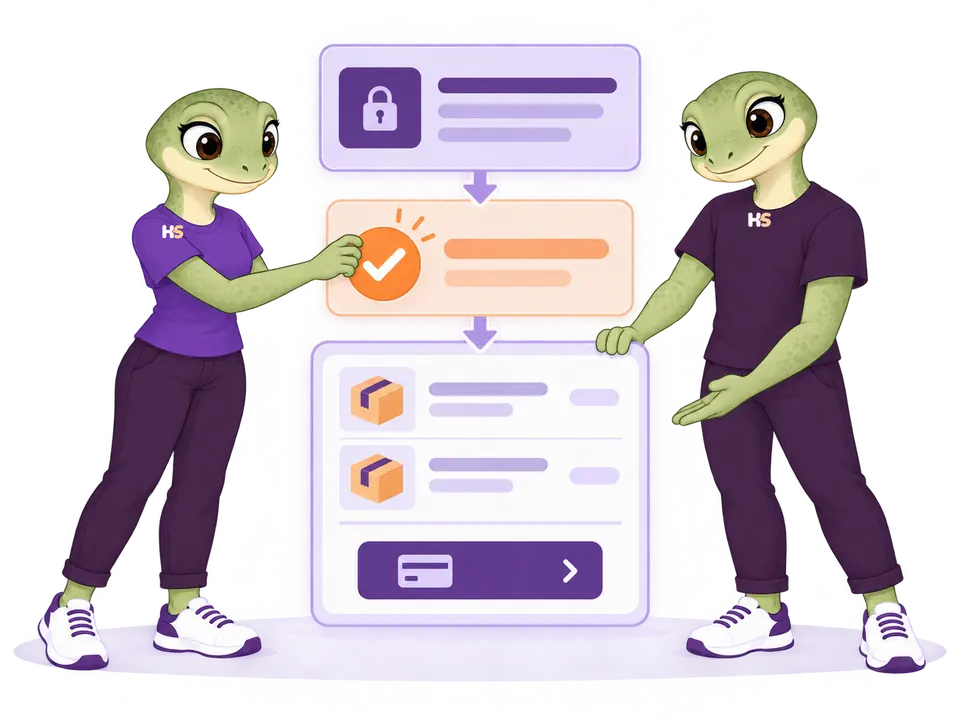
Keep acceptance separate from payment.
The customer receives a private revision, accepts or rejects that exact version and may leave feedback. An accepted quote can become a native WooCommerce order after current availability is checked.
- Private, revocable revision links.
- Accepted terms and totals preserved in the agreement snapshot.
- WooCommerce owns checkout, gateways, payment and order status.
THE PLUGIN IN PRACTICE
See how it works in WooCommerce.
Real examples from the plugin interface. Open an image to inspect the details.
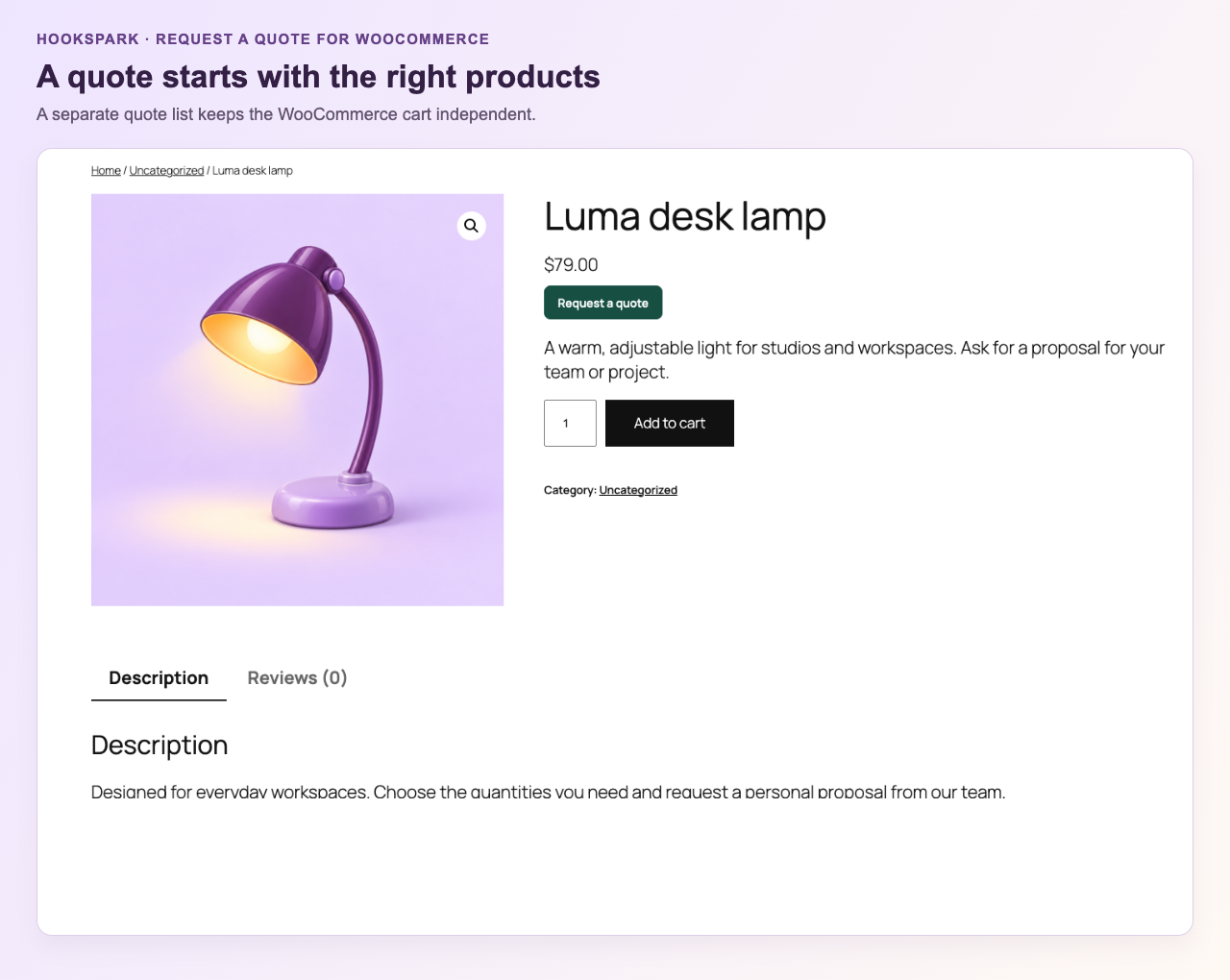
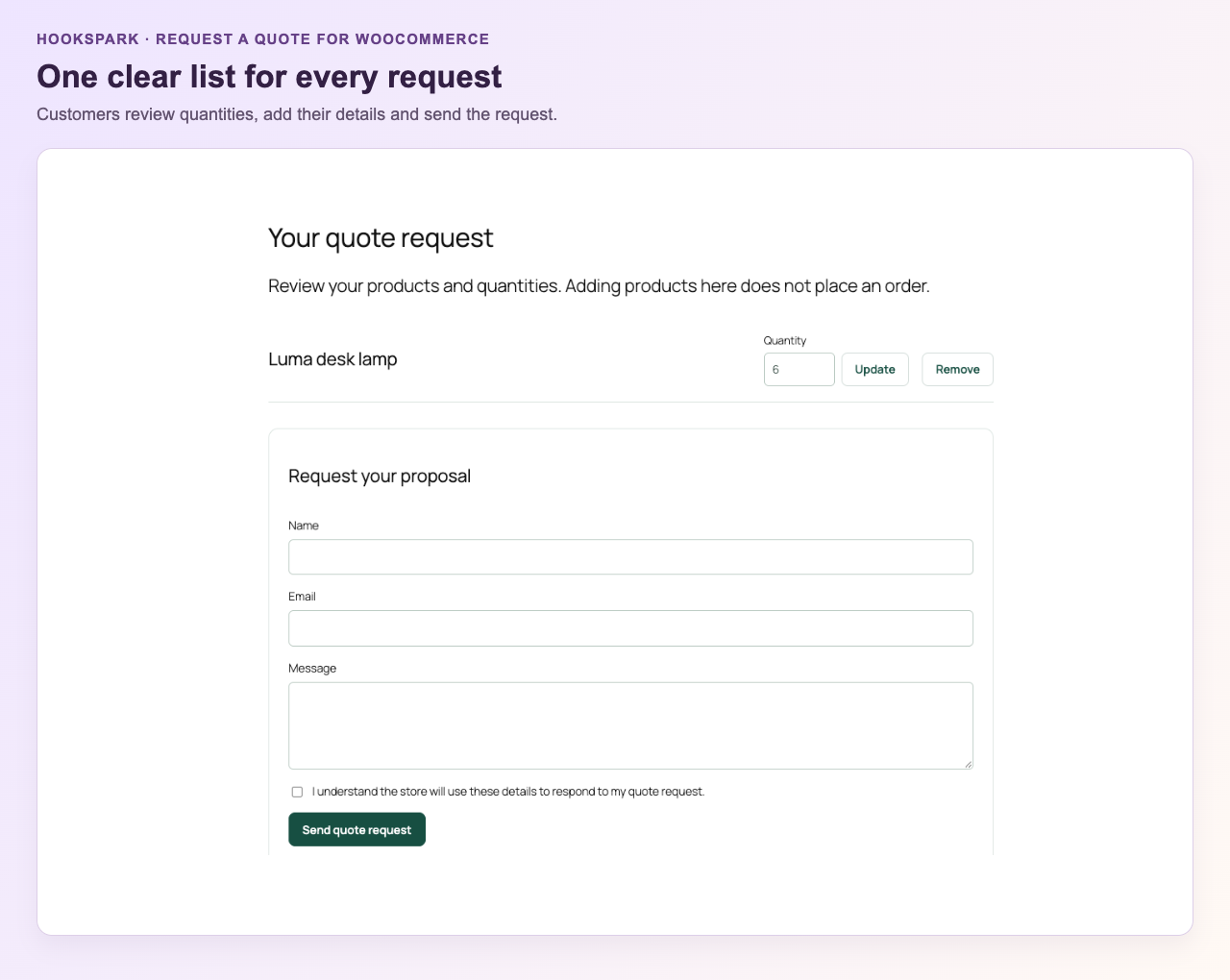
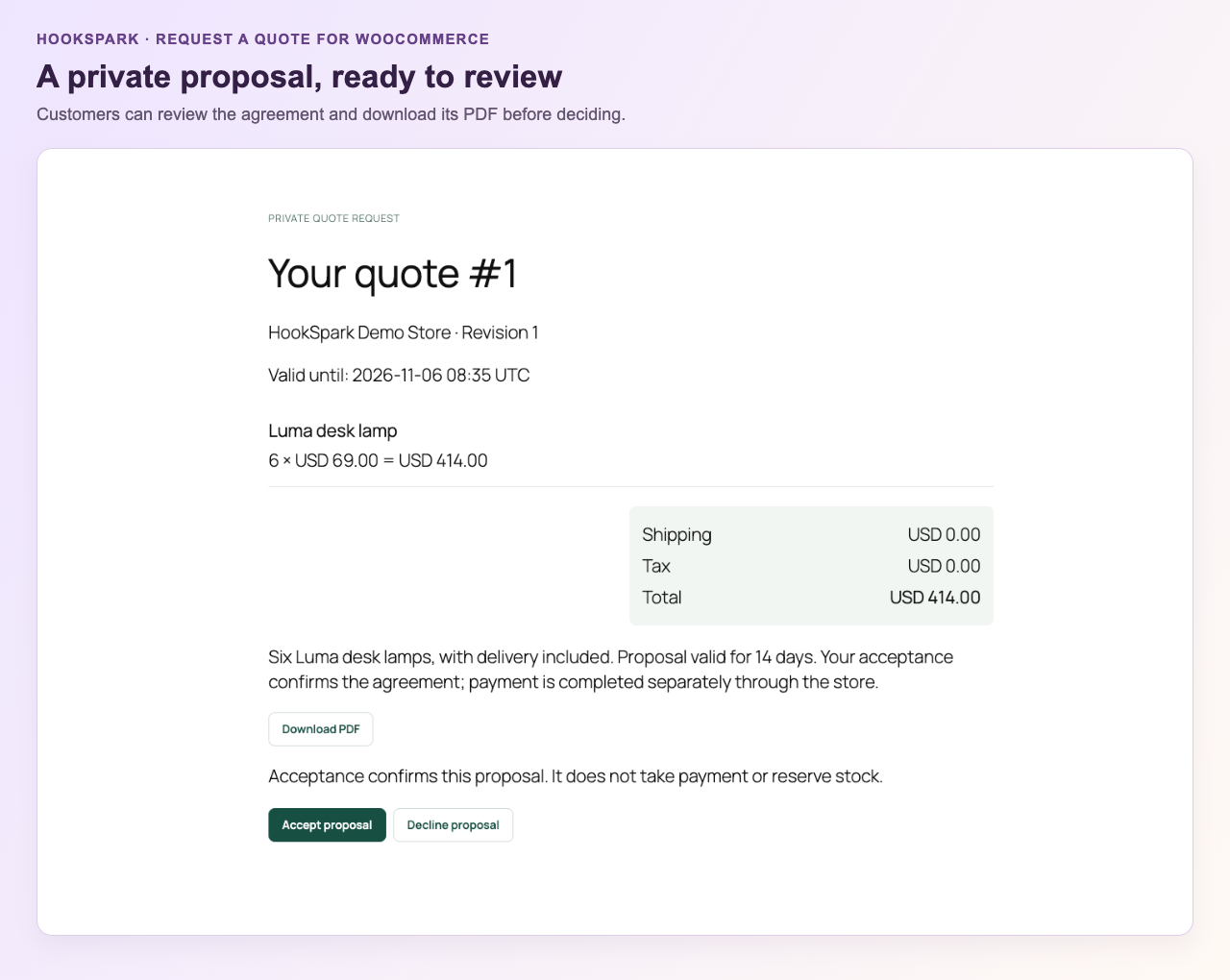
Screenshots show the English interface. Demo products, prices and settings are examples.
TWO REAL DEMOS
Try the customer journey. Inspect the merchant workspace.
The HookSpark demo network uses synthetic products and customers. Emails and real payments stay disabled.
Build a quote list.
Open sample products, add eligible items, adjust quantities and review the request page.
Open frontend demoEdit the sample proposal.
Use the real Request a Quote queue, working draft, presentation editor and templates in a personal demo workspace.
Open admin demo guidePublic demonstration environment · A personal admin workspace expires after 60 minutes.
ACTUAL PLUGIN OUTPUT
Three Premium layouts, generated from the same quote.
These previews and PDFs come from the plugin renderer. They are samples, not conceptual illustrations.
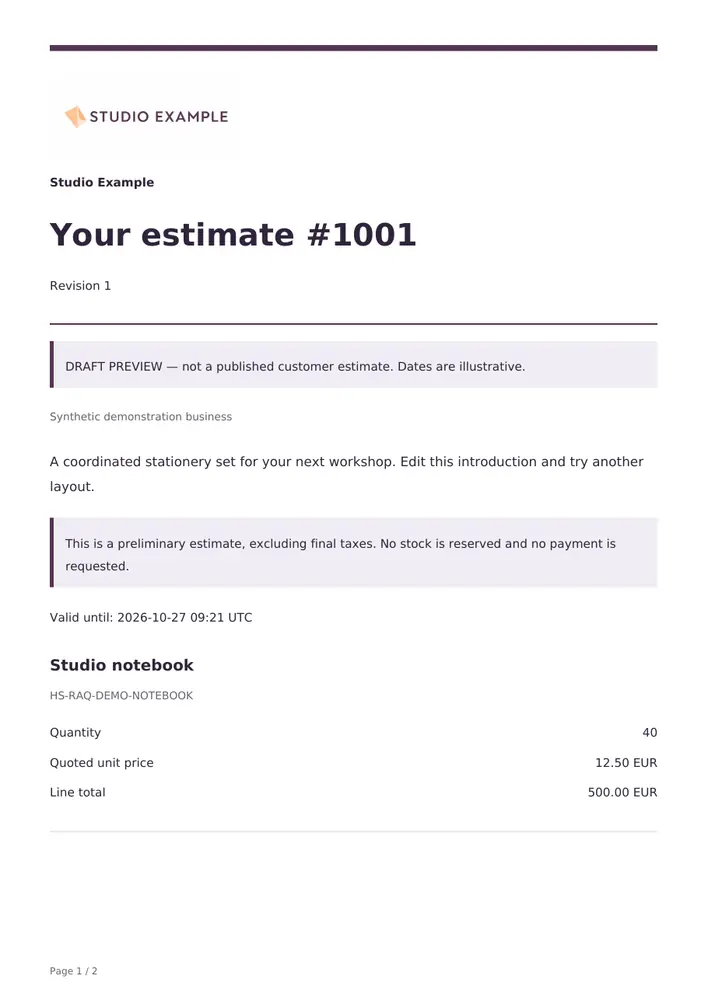
Classic
Balanced spacing for a familiar business proposal.
Open sample PDF ↗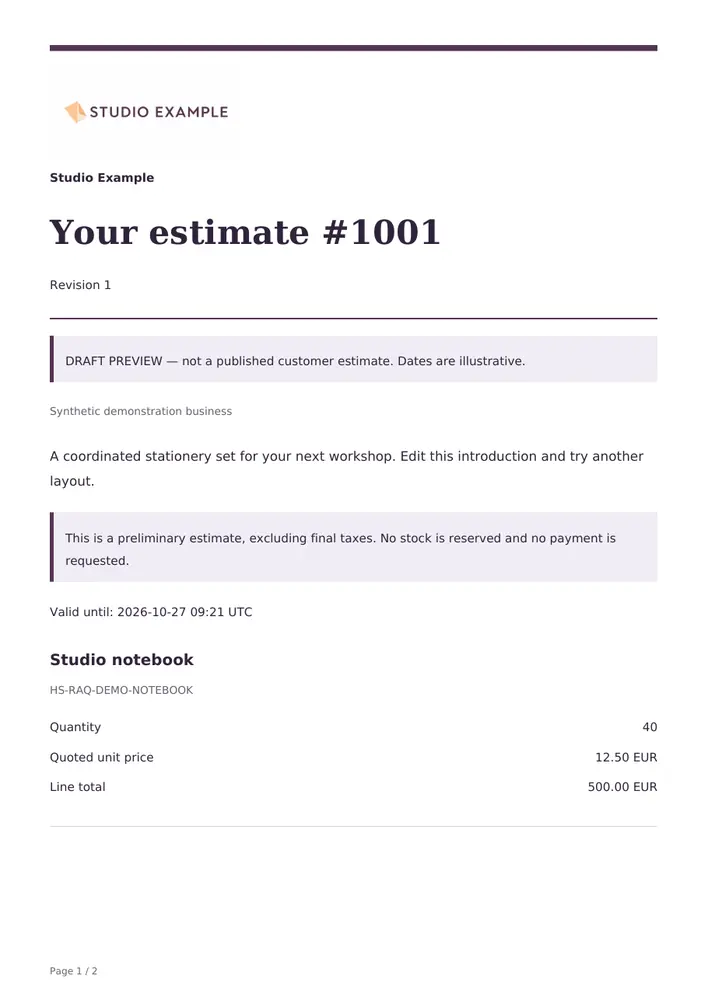
Editorial
Stronger typography and generous space for premium proposals.
Open sample PDF ↗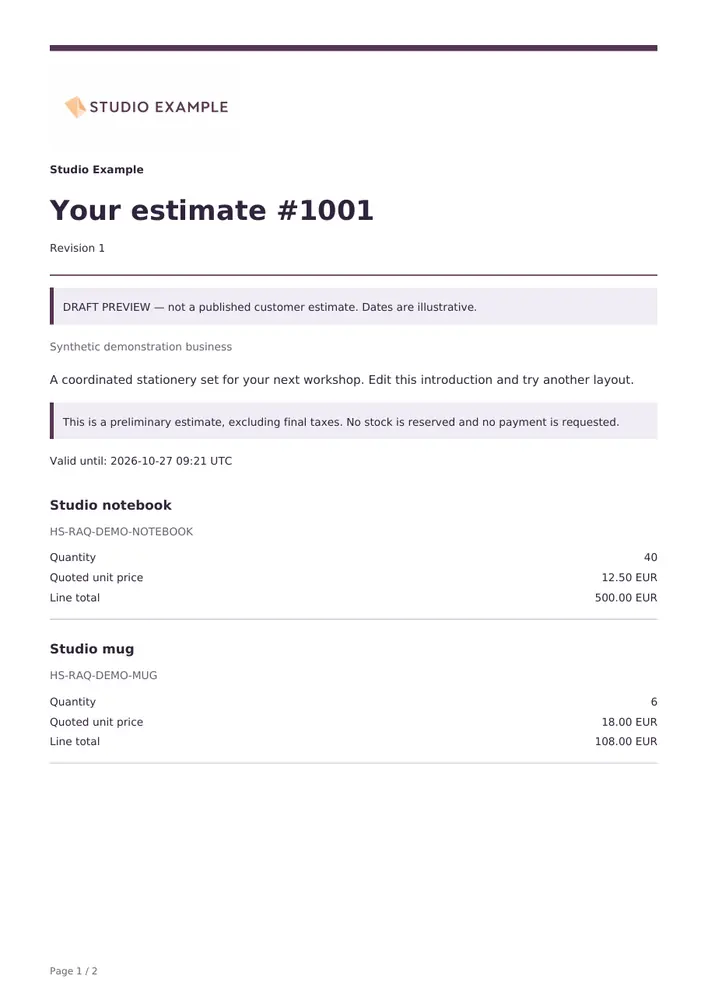
Compact
More lines per page for detailed product requests.
Open sample PDF ↗YOUR CATALOG, YOUR SALES PROCESS
Choose when customers buy and when they ask.
Keep normal shopping, collect a quote alongside it, or require an agreed proposal before purchase. Each choice has its own setting.
Hide a button. Or require a quote.
Hide Add to cart independently in shop collections and product pages. Enable quote-only purchasing separately to reject direct purchases on the server for eligible products and audiences.
Hide prices where the supported storefront surfaces allow it. Product exclusions and customer access rules still apply.
Configure your storefront →Ask for the information you need.
Build the request form with text, email, phone, choices and conditional fields. Collect company and address details where the proposal needs them.
Customers can suggest a price within your configured limits. Keep internal working notes separate from the proposal they receive.
Explore request controls →LESS CHASING, BETTER CONTEXT
Keep every request moving.
Receive the customer’s specification, assign the request to an operator and continue the conversation from the same workspace.
- Private request attachments: PDF, PNG and JPEG, up to 4 MiB per configured field, subject to hosting limits.
- Opt-in reminders for unanswered proposals, expiry and unpaid quote orders; separate reminders for assigned operators.
- Customer receipts, proposals, replies, administrator recipients and CC/BCC, with delivery history and retry.
Reminders need scheduled processing. Delivery history records an attempted hand-off to email transport, not proof of inbox delivery. File validation is not malware scanning.
Set up communication →
A CLEAR NEXT STEP
Small details that make the quote journey clearer.
Our quote workflow applies established usability principles to product selection and request forms.
Know what happened.
Adding a product shows a confirmation and updates the quote counter. Customers can open their list before submitting a request.
The principle: give feedback after an action.
NN/g: Visibility of system status ↗Review instead of remembering.
Products, selected variations and quantities remain visible together in the dedicated quote list.
The principle: keep the information needed for the next decision accessible.
NN/g: Recognition rather than recall ↗Ask for relevant details.
Configure labelled request fields and use conditions to show additional questions when they apply.
The principle: explain inputs and avoid irrelevant visible fields.
Baymard: Ecommerce form design ↗These are general usability references, including ecommerce checkout research applied here to quote requests. They do not represent an evaluation or endorsement of HookSpark, or a measured conversion improvement for this plugin.
FREE OR PREMIUM?
A complete quote journey. Choose how much control you need.
Free takes a product request through a manual proposal and into a WooCommerce order. Premium adds a visual editor, reusable designs and tools for managing a busier sales workflow.
Free 1.0.5 is available without a Premium license or a HookSpark account. Read the Free setup and proposal guide →
| What you can do | Free | Premium Separate edition |
|---|---|---|
| Dedicated quote list, variations and quantities | Included | Included |
| Addition confirmation and quote counter | Included | Included |
| Hide prices and Add to cart; quote-only purchasing | Included | Included |
| Name, email, message and privacy acknowledgement | Included | Included |
| Manual prices, shipping and native WooCommerce taxes | Included | Included |
| Private proposal revisions with accept or decline | Included | Included |
| Create a native order after acceptance | Included | Included |
| Essential PDF layout with your logo | Included | Included |
| WordPress privacy export and erasure | Included | Included |
| Product, customer and country eligibility rules | Not included | Included |
| Custom and conditional request fields | Not included | Included |
| Desired prices, discounts, charges and supported coupons | Not included | Included |
| Visual proposal editor and three design layouts | Not included | Included |
| Reusable designs with import and export | Not included | Included |
| Private request attachments | Not included | Included |
| Operator assignment, notes, replies and counteroffers | Not included | Included |
| Configured reminders and delivery management | Not included | Included |
| Choose your edition | Download Free | Choose Premium |
Both editions keep published proposals fixed. Acceptance does not take payment or reserve stock; WooCommerce checks availability when preparing the order and handles checkout. The logo in a Free PDF is not a visual document editor. A Premium signature graphic is not a certified electronic signature.
Free works independently. Each edition retains its own request history; keep the edition that created a request active to manage it. Read the tested scope before choosing your store combination.
Native WooCommerce responsibilities stay clear.
Request a Quote records the commercial conversation and accepted proposal. WooCommerce remains authoritative for products, current availability, orders, checkout, gateways, payment, refunds and customer order access.
Product Options & Add-Ons choices are preserved where the supported HookSpark integration is active. Other pricing, booking, bundle, multicurrency and third-party product models require their own compatibility evidence.
Compatibility
Selected local checks; open the details for exact versions and limits.
Tested scenarios and limits
The compatibility evidence below concerns Premium. Free has separate native order checks on WordPress 6.8 / WooCommerce 10.6.0 and WordPress 7.1.2 / WooCommerce 11.1.2, with PHP 8.2.29. Current-version order checks include HPOS. Storefront and Twenty Twenty-Five catalogue controls have been checked separately; test custom themes, builders and your payment gateway on staging.
Tested environments and integration limits.
Native critical order, stock, retry and accepted-line protection checks pass on WordPress 6.8 / WooCommerce 10.6.0 with legacy order storage and WordPress 7.1.2 / WooCommerce 11.1.0 with HPOS, on PHP 8.2.29. Customer and editor browser evidence covers Storefront, Twenty Twenty-Five and the documented native block paths; it does not certify every theme or intermediate version.
Stripe 11.0.0 TEST evidence covers card checkout, declined retry, signed local HTTP event replay and deferred late-payment behavior. Other gateways, provider-initiated webhook delivery, 3DS and every provider configuration require their own validation. Supported HookSpark Product Options & Add-Ons text/choice/private permitted files preserve extras once; linked-product accessories, other vendors’ add-ons, bookings, bundles, multicurrency and Elementor Pro templates are not certified.
Read the documented scope and test your store combination on staging before enabling customer requests.
Platform requirements
- WordPress
- 6.8 minimum
- WooCommerce
- 10.6 minimum
- PHP
- 8.2 minimum
Native critical gates verified on WordPress 6.8 + WooCommerce 10.6.0 (legacy orders) and WordPress 7.1.2 + WooCommerce 11.1.0 (HPOS), both on PHP 8.2.29. Browser and integration evidence is scoped separately; other PHP branches and every intermediate combination are not certified.
Astra and WPML: tests of 6 October 2026
Request a Quote Free 1.0.0 and Premium 1.0.1 passed selected checks on WordPress 7.1.2, WooCommerce 11.1.0, PHP 8.2.29, HPOS, Astra Free 4.14.0/Pro 4.13.10, WPML CMS and String Translation 5.1.0, and WooCommerce Multilingual 5.6.2. Quote controls, the separate list, confirmation and synthetic request form were observed; selected requests persisted in the local lab.
The tests do not establish every Premium workflow, email delivery, translated merchant configuration or all Unicode database paths. These selected local checks do not certify every theme module, translated custom field, currency, browser, builder or cache setup.
Elementor Free and Pro: 9 October 2026
Free and Premium quote controls appeared once in the Pro single-product and archive widgets. Variant, quantity and quote-only journeys worked on mobile; missing variation selections were rejected. Free Shortcode and editor paths remain available.
Edition stock policies differ. These checks do not qualify every proposal, email, payment or custom Loop Grid workflow.
Checked with Elementor Free 4.3.4 and Pro 4.3.1 on WordPress 7.1.3, WooCommerce 11.1.0 and PHP 8.2.29.
PRODUCT CHANGELOG
Latest updates
Recent development updates. Select a row to read the details.
HS Request a QuoteElementor Free and Pro: tested WooCommerce pathsTested 1.0.5
Selected local builder checks — see scope and limits
Elementor Free and Pro: tested WooCommerce paths
- Free and Premium quote controls appeared once in the Pro single-product and archive widgets. Variant, quantity and quote-only journeys worked on mobile; missing variation selections were rejected. Free Shortcode and editor paths remain available.
- Edition stock policies differ. These checks do not qualify every proposal, email, payment or custom Loop Grid workflow.
- Test stack: Elementor Free 4.3.4 / Pro 4.3.1, WordPress 7.1.3, WooCommerce 11.1.0, PHP 8.2.29, Twenty Twenty-Five.
- All supplied editions include dated compatibility notes inside their ZIP package; the first browser checks were recorded on 9 October and final native checks on 10 October.
HS Request a QuoteWooCommerce product controls in Elementor Pro1.0.4
Builder integration update
WooCommerce product controls in Elementor Pro
- Show one quote control in Elementor Pro Single Product Add to Cart, preserving quantity, variation selection and quote-only options.
- Edition stock policies differ. These checks do not qualify every proposal, email, payment or custom Loop Grid workflow.
HS Request a QuoteConnect your AI and review configuration proposals1.0.3
Optional AI access — human approval required
Connect your AI and review configuration proposals
- Read supported plugin configuration and prepare validated proposals through the official WordPress MCP Adapter.
- Use one HookSpark AI access switch and review screen for installed plugins; the same WordPress user approves changes within 15 minutes.
- Manual configuration remains available. AI proposals do not automatically apply changes or execute customer transactions.
HS Request a QuoteWPML compatibility: quote workflow coexistenceTested 1.0.2
Compatibility documentation update — selected tests and limits apply
WPML compatibility: quote workflow coexistence
- Selected quote controls coexisted with WPML; translated merchant configuration and email delivery were not certified.
- This is a scoped coexistence/translation observation, not a certification of all multilingual paths.
- Test stack: WordPress 7.1.2, WooCommerce 11.1.0, PHP 8.2.29, HPOS, Astra Free 4.14.0/Pro 4.13.10, WPML CMS/String Translation 5.1.0 and WCML 5.6.2.
- Package documentation: 1.0.2 includes the dated compatibility note; underlying test versions and limitations are recorded below.
HS Request a QuoteAstra compatibility: quote request controlsTested 1.0.2
Compatibility documentation update — selected tests and limits apply
Astra compatibility: quote request controls
- Free and Premium quote controls, separate list, confirmation and synthetic request form were observed with Astra active.
- The result is limited to the recorded local theme and plugin versions.
- Test stack: WordPress 7.1.2, WooCommerce 11.1.0, PHP 8.2.29, HPOS, Astra Free 4.14.0/Pro 4.13.10, WPML CMS/String Translation 5.1.0 and WCML 5.6.2.
- Package documentation: 1.0.2 includes the dated compatibility note; underlying test versions and limitations are recorded below.
Request a Quote: common questions
Does accepting a quote take payment?
No. In both editions, acceptance records the agreed revision without charging the customer or reserving inventory. Creating the WooCommerce order and continuing to payment are separate steps; availability is checked before continuing.
Can I use my own logo, colors and signature image?
Free includes a local PNG or JPEG logo in its Essential PDF. Premium adds a visual editor with brand colors, signature graphics, three layouts and reusable templates. A signature graphic is a visual element, not a certified electronic signature.
Can templates move between stores?
Premium can export and import presentation templates without moving customer identities, quote prices or published revisions. Free uses one Essential layout and does not include the template library or template import and export.
Can customers still buy normally?
Yes, by default. Both editions distinguish hiding Add to cart from preventing direct purchases. Free applies global display and purchase rules to supported simple and variable products. Premium adds product exclusions and customer audience rules. Quantity and variation choices remain available for quote requests.
Are private quote links identity verification?
No. Anyone holding a valid private link can use its permitted actions. Keep links private and share them with the intended customer. The store can replace access links; proposals also have a validity date.
What happens to my Free requests when I activate Premium?
Premium handles new requests and Free hides its storefront controls. Each edition keeps its own request history. Keep the edition that created an agreement active to manage its proposals and orders; accepted agreements are not automatically converted or recalculated.
What was tested with Astra and WPML?
Selected local scenarios were run on WordPress 7.1.2, WooCommerce 11.1.0, PHP 8.2.29, HPOS, Astra Free 4.14.0/Pro 4.13.10, WPML CMS and String Translation 5.1.0, and WooCommerce Multilingual 5.6.2. Results differ by edition; the compatibility section above records the observed behavior, failures and untested paths.
OPTIONAL AI CONNECTION
Describe your setup. Review the proposal.
Connect your compatible AI client to read supported settings and prepare a configuration proposal. Prepare changes to supported quote settings before saving them.
- Enable access once in HookSpark → Connect your AI.
- Ask your AI to prepare supported changes.
- Review the details in WordPress and approve before anything is saved.
One connection serves your installed HookSpark plugins. Manual controls remain available. Proposals expire after 15 minutes and must be approved by the same WordPress user.
See connection requirements, supported actions and setup steps →
See the complete quote workflow.
Start as the customer, then open the same product’s real merchant workspace.