
 HS Side Cart
for WooCommerce
Start with the native Free cart drawer. Premium adds editable variations, saved items, delivery estimates, public offers and reusable cart designs.
- Let shoppers review their cart.Free uses the native WooCommerce drawer to show products, change quantities and remove items.
- Choose where the cart button appears.Set a left or right floating button and an accent color in Free.
- Build a richer cart with Premium.Choose three templates, edit cart choices, save items for later and show native delivery and promotional offers.
- Keep the checkout you already use.Both editions lead shoppers to your existing WooCommerce checkout.
$79.00/year$0.00/yearSave $79.00
First year only · 1 site Then $79.00/year.
Auto-renews annually. Turn off renewal anytime in your account.
1 year of updates & support included.
30-day first-purchase refund, subject to our business terms and refund policy.
MAKE THE CART PART OF THE EXPERIENCE
Let customers update a WooCommerce side cart before checkout.
Help shoppers review their order, keep browsing and move to checkout with confidence.
The design tools below belong to Premium. Compare them with the native Free drawer.
01 / YOUR STORE. YOUR STYLE.
Choose a side cart or popup cart and customize its design.
Choose a side drawer or a centered modal, then make it yours with three distinct templates and a live preview.
- Preview your design before publishing.
- Keep the same cart experience on smaller screens.

02 / LESS FRICTION. MORE CONTROL.
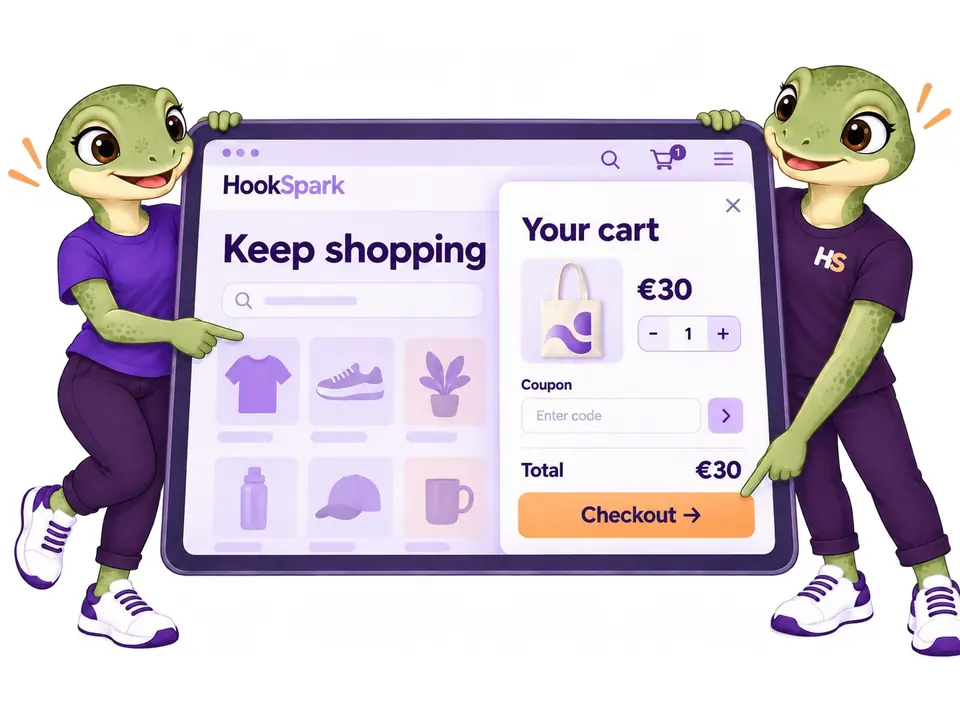
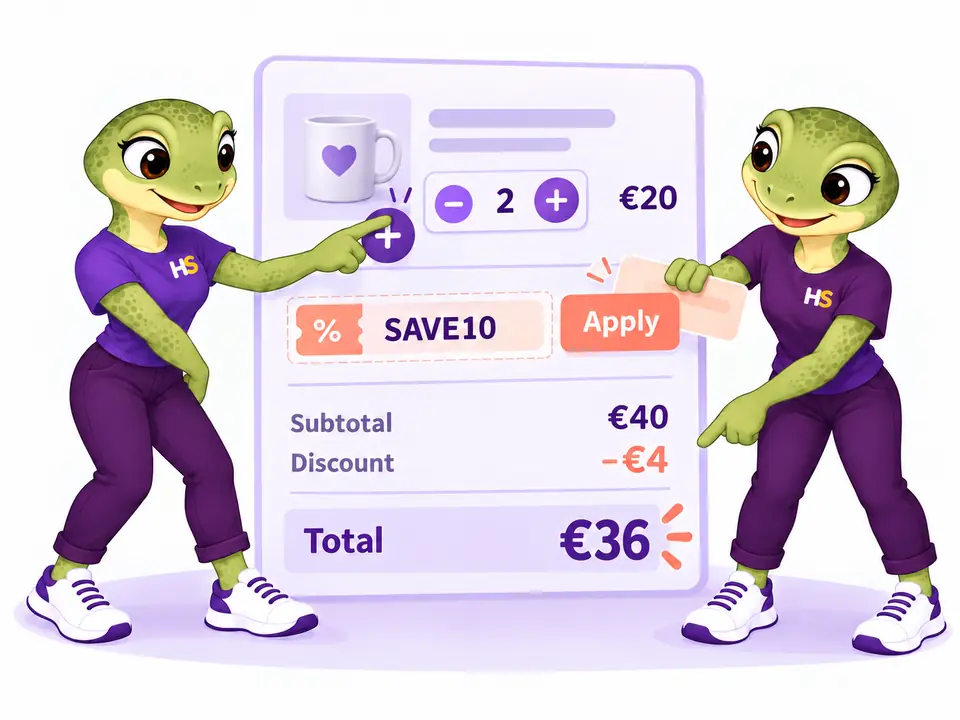
Let shoppers change quantities and apply coupons in the side cart.
Keep quantities, product details, coupons and totals together, so customers can review their choices before continuing.
- Remove an item and undo when it is still available.
- Show clear totals calculated by WooCommerce.
03 / RELEVANT PRODUCT SUGGESTIONS
Suggest matching products inside the side cart.
Use WooCommerce upsells or cross-sells, selected products, category triggers and an independent empty-cart selection. Suggest a matching pouch for a notebook and let the customer decide whether to add it.
- Suggest eligible products without adding them automatically.
- Place suggestions before products, after them or below the summary.
04 / FREE-SHIPPING PROGRESS
Show a free shipping progress bar in the side cart.
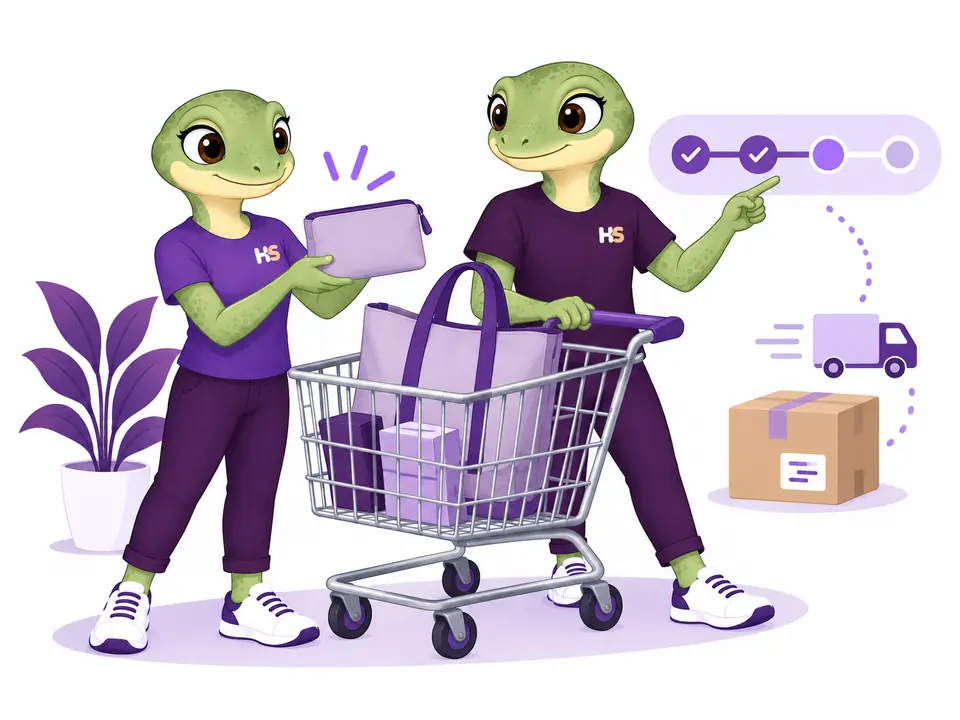
With an eligible €40 cart and a native WooCommerce free-shipping threshold of €50, show the €10 still needed. Progress follows the applicable shipping zone and method rather than a separate promotional target.
- Use the native WooCommerce free-shipping rules.
- Show the remaining amount only when destination and coupon conditions can be determined.

MORE THAN A MINI CART
Give shoppers useful choices before checkout.
Every cart change is checked by WooCommerce. Prices, stock and eligibility stay connected to the real order.
Edit without starting over
Change a native variation in the cart or reopen Product Options & Add-Ons with the existing choices. A rejected change keeps the original item.
Save a decision for later
Move an item out of the active cart, then restore it at the current price and availability. Saved items belong to the current session, for up to 24 hours.
Estimate delivery before checkout
Enter a destination and choose a native shipping method for each package. The complete checkout address remains authoritative.
Make public offers easy to understand
List eligible public coupons and show the amount still needed for valid minimum-spend offers. Thresholds update when the cart changes.
Offer an extra product with consent
Show one optional product with its price. Customers choose whether to add it; repeated confirmation does not create duplicate add-on rows.
Let customers choose a free gift
Present eligible gift choices from HookSpark Pricing & Discounts. That plugin owns the gift, its stock checks and removal when requirements are no longer met.
Keep designs you can reuse
Save named presets, export a design and preview imports before applying them to a draft. Site-specific product and coupon references are cleared.
Observe activity locally
Opt into cart-open and checkout-start counts, attributed paid orders and separate refunds. Thirty-day local observations, with no remote analytics service or claim of guaranteed sales lift.
THE PLUGIN IN PRACTICE
See how it works in WooCommerce.
Real examples from the plugin interface. Open an image to inspect the details.
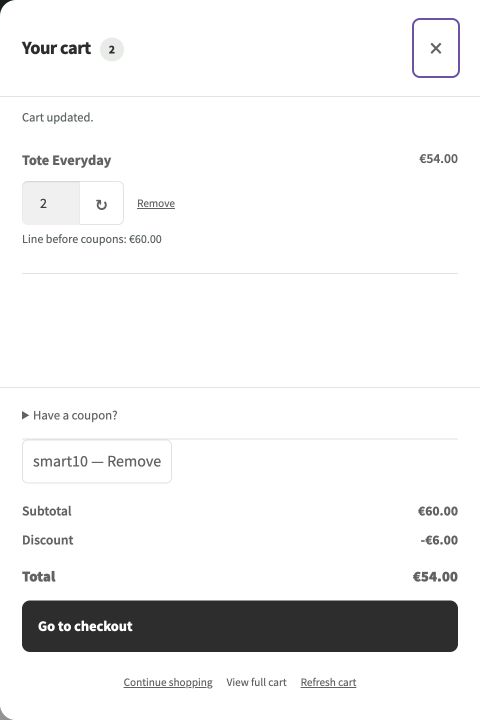
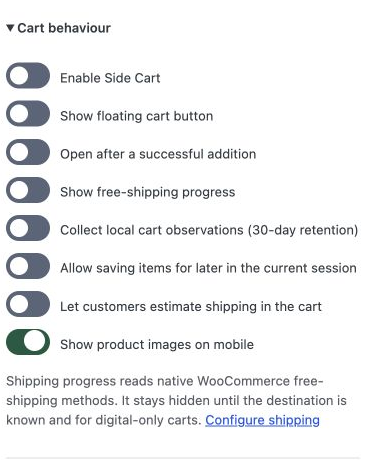
Screenshots show the English interface. Demo products, prices and settings are examples.
LESS IMAGINING. MORE TRYING.
Try the WooCommerce side cart.
Add a product. Open the cart. Explore the controls.
Be the customer.
Change quantities, apply a coupon and review the cart in the demo store.
Try frontend demoMake it your store.
Explore and edit Side Cart settings in your own temporary workspace.
Try admin demoPersonal admin workspace · 60 minutes · Simulated orders, no real payments or email.
FREE OR PREMIUM?
Start with a native cart drawer. Add more control with Premium.
Free adds a floating entry point to the WooCommerce Mini-Cart. Premium provides its own templates, product suggestions and advanced cart controls.
| What you can do | Free | Premium Separate plugin |
|---|---|---|
| Native WooCommerce cart, quantities and item removal | Included | Included |
| Floating cart button, position and accent color | Included | Included |
| English and Italian settings | Included | Included |
| Continue to the existing cart and checkout | Included | Included |
| Three custom cart templates and centered popup | Not included | Included |
| In-drawer coupon controls and removal undo | Not included | Included |
| Product suggestions and cross-sells | Not included | Included |
| Native free-shipping progress display | Not included | Included |
| Draft design preview and advanced customization | Not included | Included |
| Edit native variations and supported Product Options & Add-Ons | Not included | Included |
| Save items for later in the current session | Not included | Included |
| Native shipping calculator and method selection | Not included | Included |
| Public coupon offers and optional extra product | Not included | Included |
| Free gift choices with HookSpark Pricing | Not included | Included |
| Named presets and export/import preview | Not included | Included |
| Optional local observations with 30-day retention | Not included | Included |
| Choose your edition | Download Free | Choose Premium |
Free 0.1.3-dev is a development preview for staging. Its drawer follows your native WooCommerce Mini-Cart template. Premium 0.1.0-alpha.62 takes precedence when both are active; settings remain separate. Premium downloads and updates are included while your license is active. Read the Free guide and tested scope.
Keep side cart totals connected to WooCommerce
Side Cart reads WooCommerce prices, quantities and session data. Tested local scenarios combine HookSpark Product Options & Add-Ons, Min/Max, Pricing and Messages, including orders retaining personalizations and the expected totals.
Native classic cart fragments and Woo block cart data can stay synchronized. These tests cover the documented versions; they do not certify every theme, builder or third-party pricing extension.
Compatibility
Selected local checks; open the details for exact versions and limits.
Tested scenarios and limits
Side cart compatibility and current limits.
The main test environment uses WordPress 7.1.2, WooCommerce 11.1 and PHP 8.2.29. Storefront 4.6.2 and Twenty Twenty-Five 1.5 have documented scenarios, including classic/Blocks checkout and HPOS on/off.
A separate WordPress 6.8 / WooCommerce 10.6 / PHP 8.2.29 installation passed classic and Blocks browser orders, real-role permissions, update/reinstall and full recovery tests, using Twenty Twenty-Five 1.2. Assistive technology, physical touch devices and external hosting remain separate acceptance work.
Embedded checkout, checkout field editing, express payment and post-payment completion belong to separate products. Subscriptions, bundles, multicurrency and multisite are not promised by this build.
Tested platform
WordPress 6.8 with WooCommerce 10.6.0, and WordPress 7.1.1 with WooCommerce 11.1.0, on PHP 8.2.29. See the handbook for the tested scenarios and remaining acceptance work.
Astra and WPML: tests of 6 October 2026
Side Cart Free 0.1.0-dev and Premium 0.1.0-alpha.59 passed selected checks on WordPress 7.1.2, WooCommerce 11.1.0, PHP 8.2.29, HPOS, Astra Free 4.14.0/Pro 4.13.10, WPML CMS and String Translation 5.1.0, and WooCommerce Multilingual 5.6.2. The cart dialog opened, native AJAX quantity changed 2→3 in Free and 3→4 in Premium, and subtotals updated.
These checks do not establish every Premium feature, translated cart content, assistive-technology behavior or all Astra modules. These selected local checks do not certify every theme module, translated custom field, currency, browser, builder or cache setup.
Elementor Free and Pro: 9 October 2026
The plugin’s own Free and Premium cart entry points were exercised with Elementor active. The Free native WooCommerce drawer updated quantities from six to twelve and totals from €162 to €324. Elementor Pro Menu Cart was checked separately.
An automatic replacement of Elementor Menu Cart/header is not implemented. Choose the intended cart entry point; custom headers and duplicate-trigger setups need separate testing.
Checked with Elementor Free 4.3.4 and Pro 4.3.1 on WordPress 7.1.3, WooCommerce 11.1.0 and PHP 8.2.29.
PRODUCT CHANGELOG
Latest updates
Recent development updates. Select a row to read the details.
HS Side CartElementor Free and Pro: tested WooCommerce pathsTested 0.1.0-alpha.62
Selected local builder checks — see scope and limits
Elementor Free and Pro: tested WooCommerce paths
- The plugin’s own Free and Premium cart entry points were exercised with Elementor active. The Free native WooCommerce drawer updated quantities from six to twelve and totals from €162 to €324. Elementor Pro Menu Cart was checked separately.
- An automatic replacement of Elementor Menu Cart/header is not implemented. Choose the intended cart entry point; custom headers and duplicate-trigger setups need separate testing.
- Test stack: Elementor Free 4.3.4 / Pro 4.3.1, WordPress 7.1.3, WooCommerce 11.1.0, PHP 8.2.29, Twenty Twenty-Five.
- All supplied editions include dated compatibility notes inside their ZIP package; the first browser checks were recorded on 9 October and final native checks on 10 October.
HS Side CartConnect your AI and review configuration proposals0.1.0-alpha.61
Optional AI access — human approval required
Connect your AI and review configuration proposals
- Read supported plugin configuration and prepare validated proposals through the official WordPress MCP Adapter.
- Use one HookSpark AI access switch and review screen for installed plugins; the same WordPress user approves changes within 15 minutes.
- Manual configuration remains available. AI proposals do not automatically apply changes or execute customer transactions.
HS Side CartWPML compatibility: Side Cart coexistenceTested 0.1.0-alpha.60
Compatibility documentation update — selected tests and limits apply
WPML compatibility: Side Cart coexistence
- The cart coexisted with WPML in selected local scenarios; translated cart content was not certified.
- This is a scoped coexistence/translation observation, not a certification of all multilingual paths.
- Test stack: WordPress 7.1.2, WooCommerce 11.1.0, PHP 8.2.29, HPOS, Astra Free 4.14.0/Pro 4.13.10, WPML CMS/String Translation 5.1.0 and WCML 5.6.2.
- Package documentation: 0.1.0-alpha.60 includes the dated compatibility note; underlying test versions and limitations are recorded below.
HS Side CartAstra compatibility: Side Cart interactionTested 0.1.0-alpha.60
Compatibility documentation update — selected tests and limits apply
Astra compatibility: Side Cart interaction
- Free and Premium dialogs opened; native AJAX quantities and subtotals updated in selected Astra scenarios.
- The result is limited to the recorded local theme and plugin versions.
- Test stack: WordPress 7.1.2, WooCommerce 11.1.0, PHP 8.2.29, HPOS, Astra Free 4.14.0/Pro 4.13.10, WPML CMS/String Translation 5.1.0 and WCML 5.6.2.
- Package documentation: 0.1.0-alpha.60 includes the dated compatibility note; underlying test versions and limitations are recorded below.
WooCommerce side cart: common questions
How does launch pricing work?
The license selector shows the payment currency, the first-year offer and the annual renewal amount for each plan.
Does this replace my checkout?
No. Customers continue to the WooCommerce checkout configured by the store.
Can I preview without publishing?
Yes. Preview uses sample data. Save draft keeps the storefront unchanged; Publish applies the configuration.
What happens when I remove the plugin?
Settings are kept by default. A published Data retention opt-in deletes only Side Cart settings, preset library and local analytics table on uninstall. WooCommerce orders, products and sessions are not deleted by Side Cart.
Can I use this in a live store?
Review the documented compatibility and test your store configuration on staging before installing on your live store.
What was tested with Astra and WPML?
Selected local scenarios were run on WordPress 7.1.2, WooCommerce 11.1.0, PHP 8.2.29, HPOS, Astra Free 4.14.0/Pro 4.13.10, WPML CMS and String Translation 5.1.0, and WooCommerce Multilingual 5.6.2. Results differ by edition; the compatibility section above records the observed behavior, failures and untested paths.
Install Side Cart on your store
Version 0.1.0-alpha.62. Your account provides the download while your license is active. The installed cart features do not depend on an active update entitlement.
OPTIONAL AI CONNECTION
Describe your setup. Review the proposal.
Connect your compatible AI client to read supported settings and prepare a configuration proposal. Prepare changes to supported side-cart settings and review the result.
- Enable access once in HookSpark → Connect your AI.
- Ask your AI to prepare supported changes.
- Review the details in WordPress and approve before anything is saved.
One connection serves your installed HookSpark plugins. Manual controls remain available. Proposals expire after 15 minutes and must be approved by the same WordPress user.
See connection requirements, supported actions and setup steps →
Let shoppers review their order in a side cart.
Choose the design. Preview the details. Let WooCommerce handle the order.