

A profitable free shipping threshold for WooCommerce starts with your costs, not a competitor’s banner. Decide what contribution an eligible order should leave after the goods, payment fees and fulfillment costs included in your model. Then test whether the proposed threshold makes sense for your customers and destinations.
This guide explains the financial decision. WooCommerce can configure the delivery method itself without a special threshold plugin. A progress bar communicates a policy you have already chosen; it does not establish that the policy is profitable.
1. Work with comparable amounts
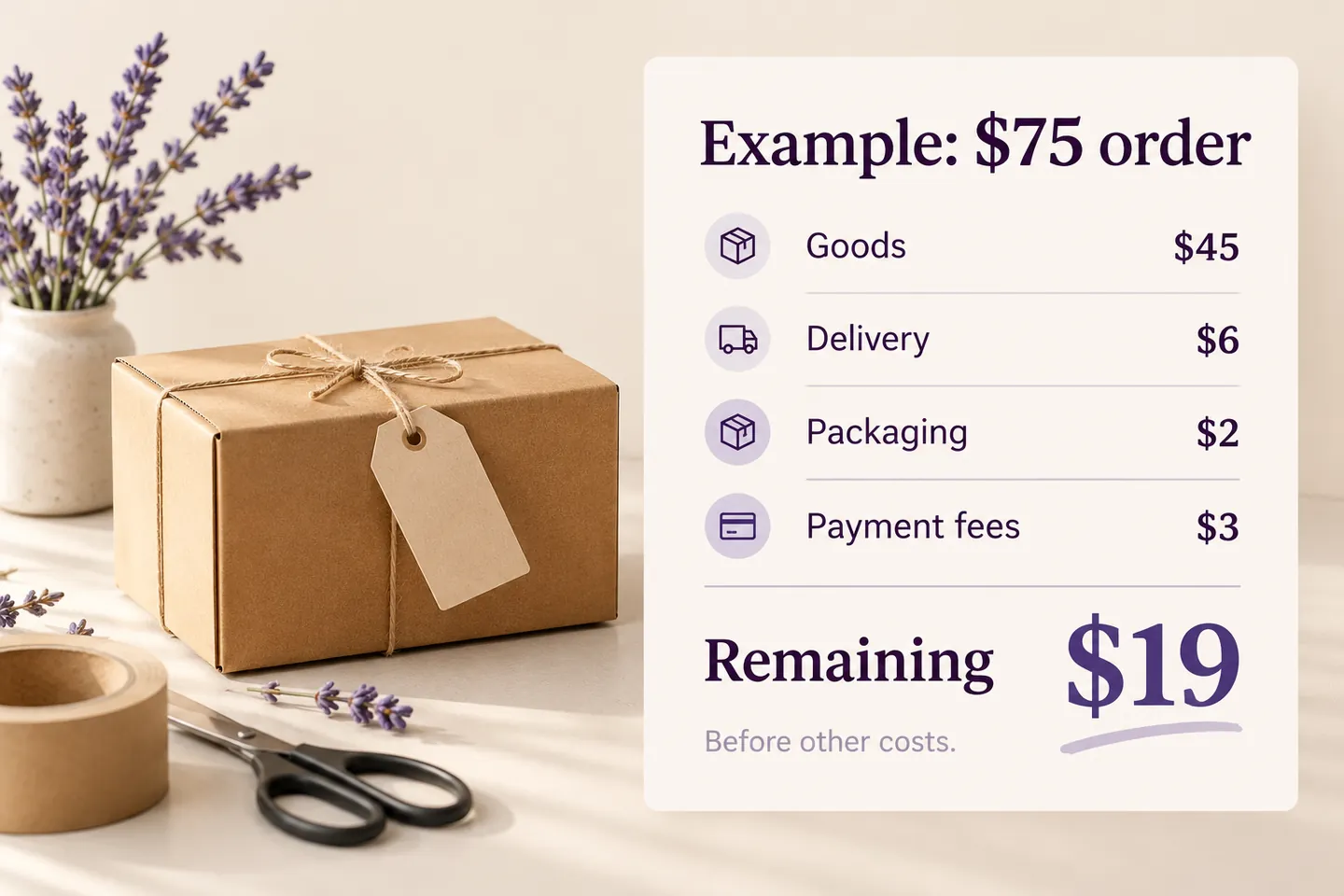
For the example, use US dollars and revenue excluding tax, after product discounts. Assume goods cost 60% of that revenue, payment fees are 4%, delivery costs US$6 and packaging costs US$2 per eligible order. These are invented teaching inputs, not market averages or a payment provider’s quoted fees.
The resulting contribution is 0.36 × order revenue − US$8. It excludes advertising, overheads, fixed payment fees and returns. Add those costs where relevant to your model. Use actual shipment quotes: a distant address or an oversized parcel can invalidate a flat US$6 assumption.
2. Calculate a candidate, not a universal answer
If your chosen contribution target is US$16, the simplified calculation is (16 + 8) ÷ (0.40 − 0.04) = US$66.67, rounded to cents. At US$75 the modeled contribution is US$19; at US$60 it is US$13.60. A US$75 threshold therefore clears the chosen target in this example. It is not proof that US$75 maximizes profit.
| Revenue | Goods | Fees | Delivery + packaging | Contribution |
|---|---|---|---|---|
| US$60 | US$36 | US$2.40 | US$8 | US$13.60 |
| US$75 | US$45 | US$3 | US$8 | US$19 |
| US$90 | US$54 | US$3.60 | US$8 | US$24.40 |
The percentage denominator must be positive for this simplified formula. If margin changes by product, shipping changes with weight, or fees include a fixed component, model those cases explicitly. A single average should not hide loss-making baskets.
3. Check where real baskets sit
Review the distribution of completed order values, not just the average. Ask whether a typical customer can reach the threshold with a useful addition. A US$52 basket might reach US$75 with a relevant US$23 item; that does not mean shoppers will choose it or that all such combinations retain the assumed margin.
Separate the strategy for increasing average order value from the arithmetic here. A threshold may also subsidize customers who would have spent above it anyway. Track that cost instead of counting every qualifying order as new revenue.
4. Configure eligibility to match the policy
WooCommerce’s native Free Shipping method belongs to a shipping zone and can require a minimum amount. Its coupon setting determines whether eligibility uses the amount before or after a coupon. See the official WooCommerce Free Shipping documentation, consulted October 27, 2026.
Keep the financial model and checkout rule distinct. The figures above exclude tax; checkout eligibility can use a different displayed-tax basis. Check your store settings and confirm actual qualifying amounts. A customer in another zone may receive a different method or no free option at all.
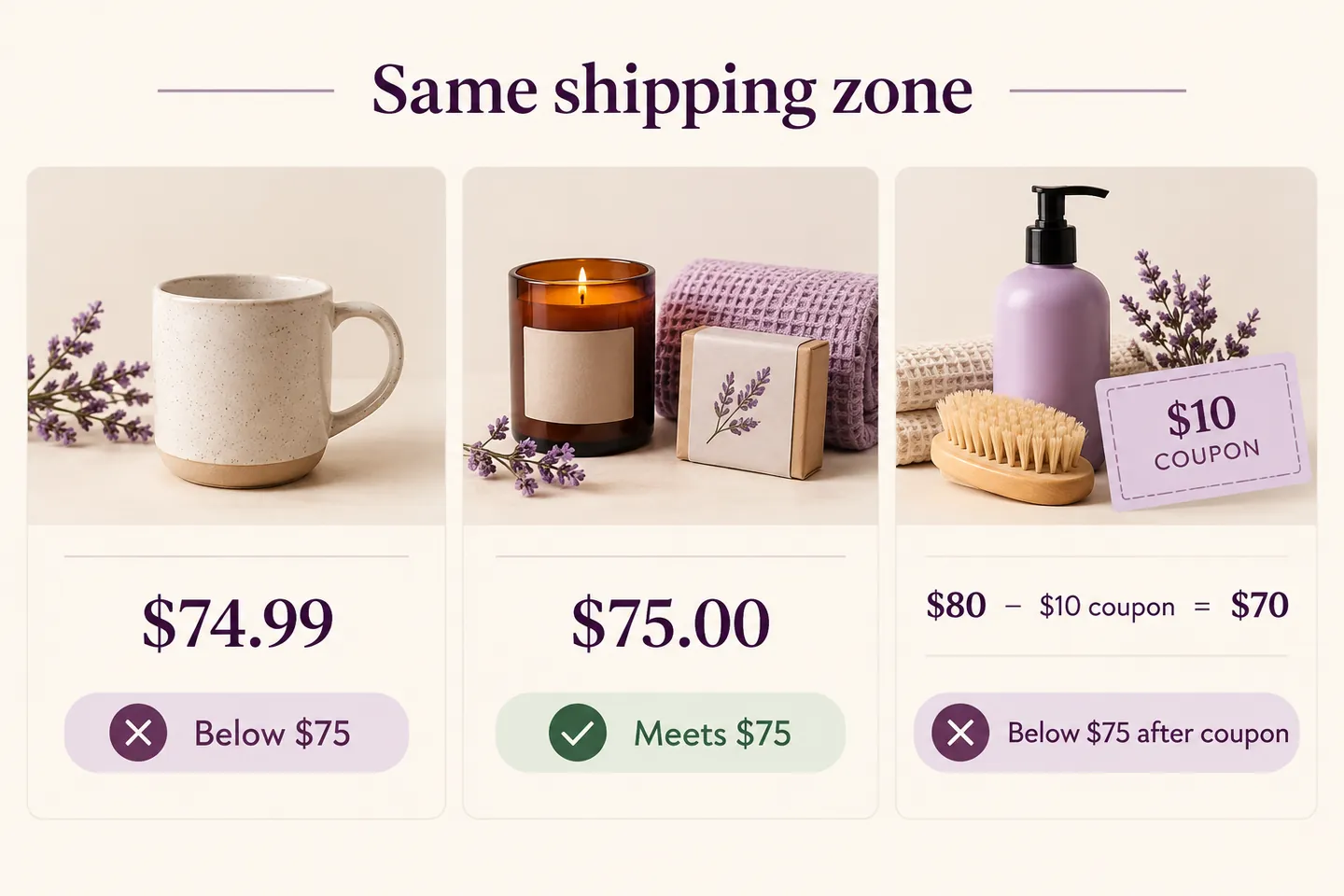
For a US$75 threshold based on the amount after coupons, test US$74.99, US$75 and a US$80 basket reduced by a US$10 coupon. The latter becomes US$70 and should fail that minimum, assuming the same zone and no other eligibility route. Check an eligible destination, an excluded destination and a heavy-product case too.
5. Explain the rule without changing it
Show the threshold and relevant delivery restrictions before the final purchase decision. HookSpark Side Cart can communicate progress toward a supported native free-shipping method. Follow the free shipping progress bar tutorial for its setup. The bar should agree with actual checkout eligibility; it should not promise free shipping before the destination is known.
Offer a sensible paid delivery route below the threshold if that fits your policy. A free-shipping incentive is not an instruction to block smaller orders. Do not label a shipping threshold as a mandatory minimum purchase.
Questions before launch
Should I set the threshold 20% above AOV?
That is a candidate to investigate, not a financial rule. Your margin, basket distribution, delivery costs and customer behavior decide whether it works.
Can I use one threshold for every destination?
Only if the underlying economics and delivery policy support it. Different zones or product constraints may need different treatment.
What should I measure after launch?
Compare completed orders, conversion, delivery subsidy, contribution and returns. Keep traffic and seasonality in view. Review the policy if a higher basket value leaves less contribution.
Start with one zone, documented cost inputs and a small set of representative baskets. Confirm the numbers and the checkout result before promoting the threshold widely.