
 HS Product Filters
for WooCommerce
Help shoppers narrow your WooCommerce catalog by category, price, availability and product attributes. Create useful collections with readable URLs and control which filter pages can be indexed.
- Narrow the catalog to matching products.Combine categories, price, stock and attributes to find products that meet the selected criteria.
- Keep mobile filtering clear.Choose several filters, apply them together or cancel the draft.
- Choose your SEO collections.Give selected filter pages a readable URL, title and description. Keep combinations noindex.
$79.00/year$0.00/yearSave $79.00
First year only · 1 site Then $79.00/year.
Auto-renews annually. Turn off renewal anytime in your account.
1 year of updates & support included.
30-day first-purchase refund, subject to our business terms and refund policy.
FIND WHAT FITS
Help shoppers narrow the catalog to a real match.
01 / MATCH THE CATALOG
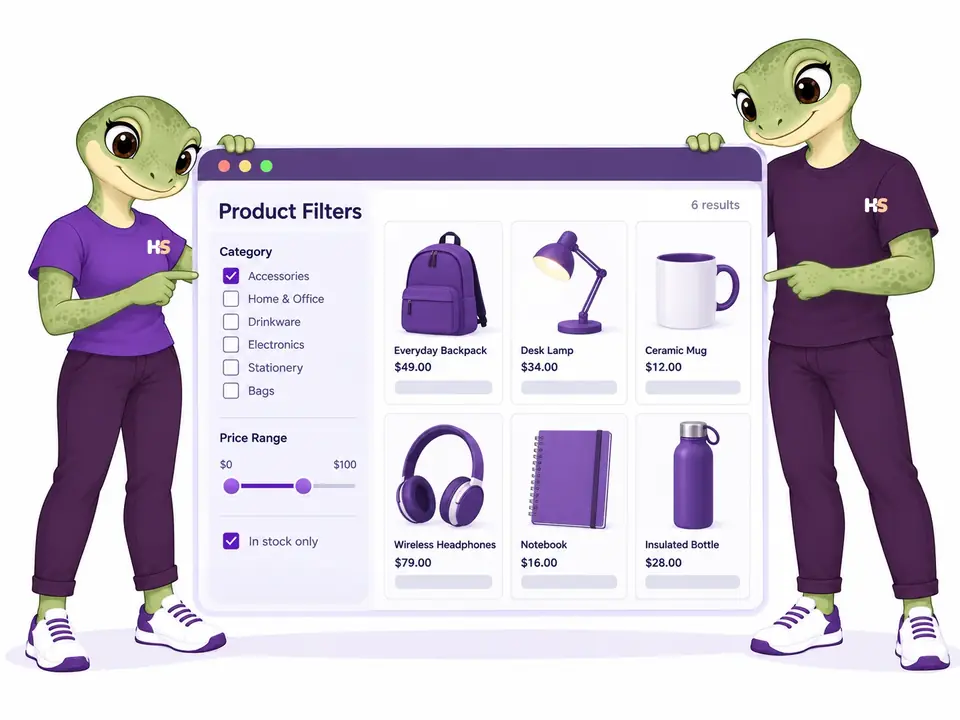
Show products that match every selected option.
Narrow the catalog by category, price and availability, then explore the matching products. For variable products, selected attributes, price and stock must match the same eligible variation.
- Combine price, stock and product attributes
- Match selections against the same variation
02 / CONTROL INDEXING
Choose which filter pages search engines can index.
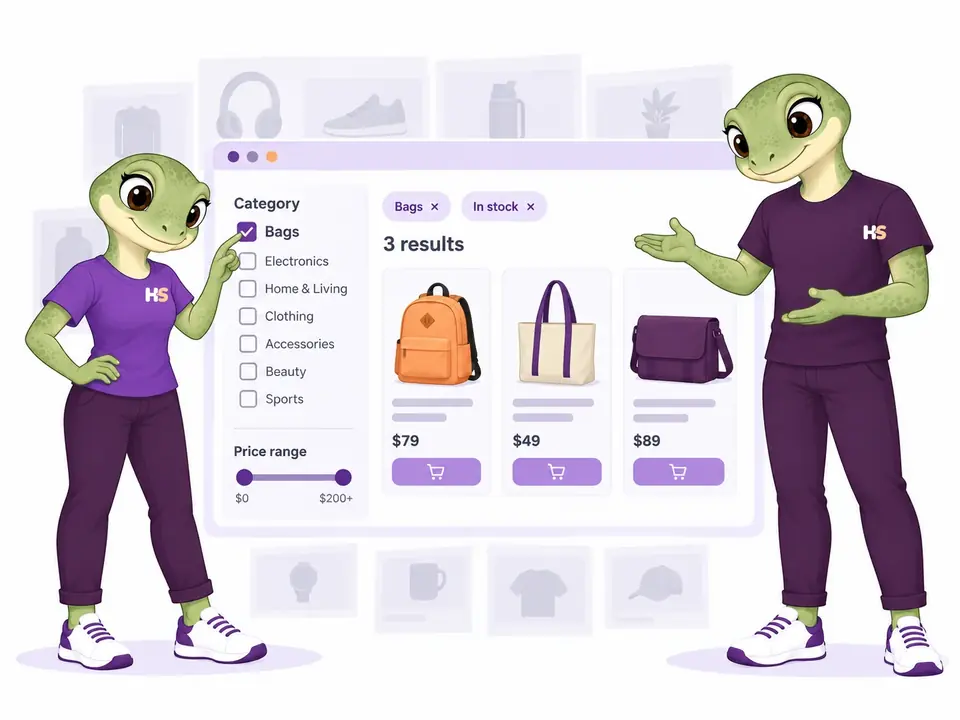
With Pro, build a native WordPress page for a chosen filter. Write its title and description, and decide when it is eligible for indexing. Extra combinations remain noindex.
- Create readable single-filter pages
- Keep arbitrary combinations noindex

03 / FILTER ON MOBILE
Apply several filters together on mobile.
Open the mobile panel, choose several filters and apply them together. Cancel or press Escape to keep the results you were already browsing.
- Apply multiple selections together
- Cancel without changing current results

THE PLUGIN IN PRACTICE
See how it works in WooCommerce.
Real examples from the plugin interface. Open an image to inspect the details.

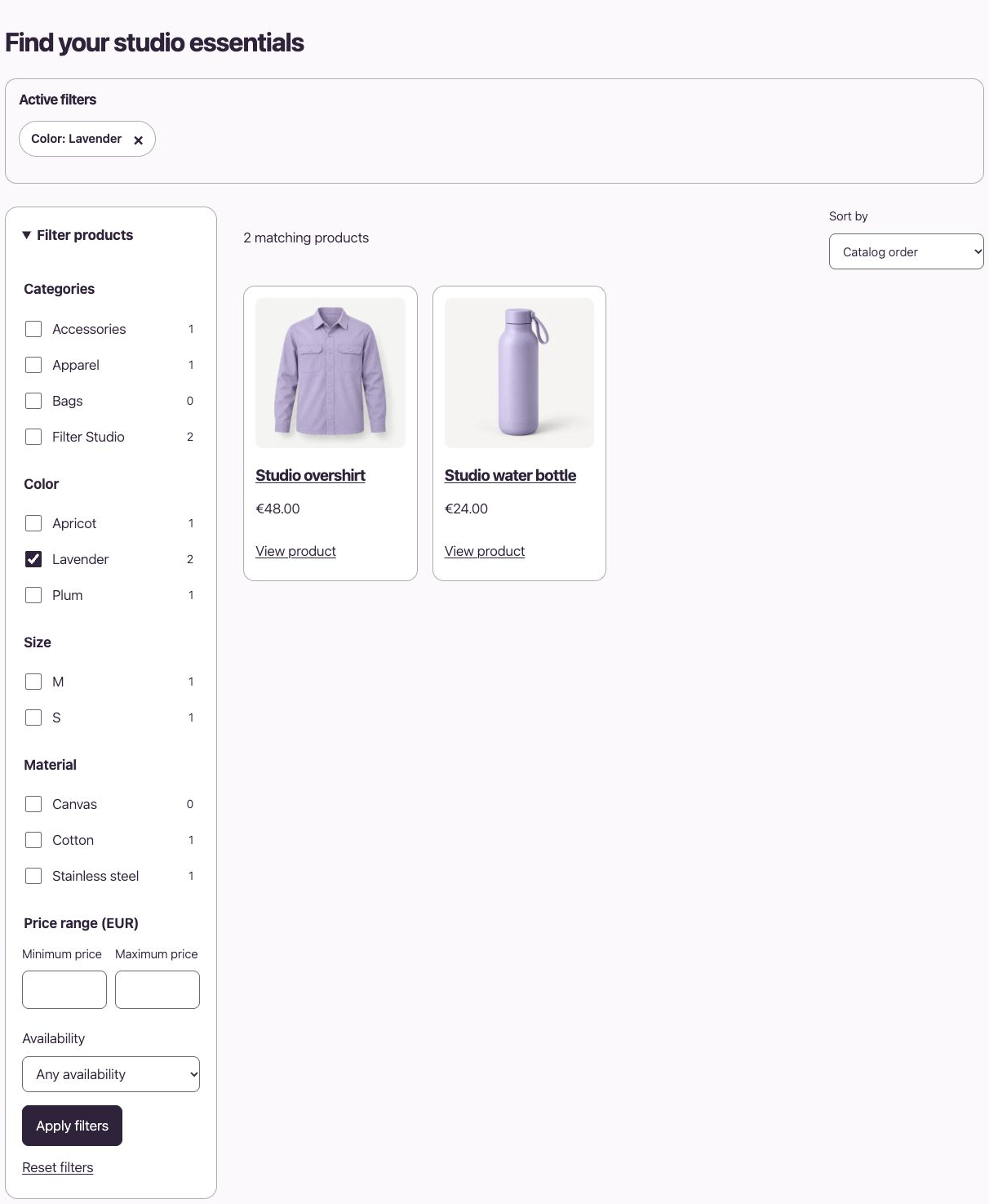
Screenshots show the English interface. Demo products, prices and settings are examples.
LESS IMAGINING. MORE TRYING.
Filter the catalog. Explore the results.
Try the catalog. Then configure your own filters.
Be the customer.
Narrow the catalog by category, price and availability. Try attributes together and compare the matching products.
Try frontend demoMake it your store.
Edit a filter set and configure the supplied SEO landing in your personal demo.
Try admin demoYour personal admin demo lasts 60 minutes. Use sample details: no real payments or external emails.
FREE OR PREMIUM?
Start with Free. Build dedicated collections with Pro.
Free includes catalog filtering and automatic noindex. Pro adds dedicated filter pages, SEO editing and portable filter configurations, and runs alongside Free.
| What you can do | Free | Premium Pro add-on |
|---|---|---|
| AJAX filters, price, stock and product taxonomies | Included | Included |
| Match attributes on the same eligible variation | Included | Included |
| Mobile panel and configuration history | Included | Included |
| Automatic noindex for filter combinations | Included | Included |
| Dedicated pages for a selected filter with readable URLs | Not included | Included |
| Selective indexing, canonical, SEO titles and descriptions | Not included | Included |
| Export one filter set to JSON | Not included | Included |
| Preview and import as a new disabled set | Not included | Included |
| Choose your edition | Download Free | Choose Premium |
The Free download is the current public release. Pro includes SEO editing and filter-set import/export. Import one set per file, up to 64 KB; destination categories and attributes must already exist. SEO page bindings are configured separately.
FROM CATALOG TO FILTERS
Set up a collection in three steps.
- Choose the catalog. Create a filter set and scope it to the products you want shoppers to explore.
- Choose the filters. Use categories and global attributes such as color, size and material, alongside price and availability.
- Place the collection. Add the set’s shortcode to a WordPress page. Preview the results, then try the same selections on mobile.
SELECTIVE INDEXING
Give useful collections their own page.
With Pro, create a WordPress page such as /plum-clothing/, bind it to one selected filter value, and write a specific SEO title and description. Keep the page noindex while preparing it, then opt it into indexing when it is ready and your site allows indexing.
Adding a size, price or another filter creates a browsing combination. These combinations remain noindex, without requiring you to invent titles and descriptions for every possible selection.
Explore the single-filter collection → · Read the SEO controls →
Your products stay in WooCommerce.
Use your existing categories, tags, brands and global attributes. Product cards lead to the normal product page; filtering does not change prices, stock or cart quantities.
The plugin provides its own shortcode grid. Existing theme archives, Elementor grids, WPML metadata synchronization and multicurrency integrations need separate acceptance beyond the selected tests below.
Compatibility
Selected local checks; open the details for exact versions and limits.
Tested scenarios and limits
Know the tested scope.
Free 1.2.0-dev and Pro 0.2.0-dev were tested locally with WordPress 7.1.2, WooCommerce 11.1.0, PHP 8.2.29 and HPOS. Selected price and availability filters on simple and variable products passed with Astra Free 4.14.0, Astra Pro 4.13.10 and WPML CMS/String Translation 5.1.0 plus WooCommerce Multilingual 5.6.2. Pro configuration export/import passed selected checks. Pro remains a development candidate, not a public download.
These checks do not cover every Astra module, translated filter metadata, multicurrency, Elementor grids, custom caches or every browser and Pro flow. One shortcode catalog per WordPress page, English and Italian, and a personal multisite demo were also tested. Native SEO policy and installed Yoast 28.5 / Rank Math 1.0.278 passed metadata and sitemap checks on the tested platform; other provider versions remain unverified.
A local mixed catalog of 50,000 products completed a filter evaluation in about 4.1 seconds. This measures catalog evaluation, not full page loading; hosting and catalog structure affect results. Test on staging and measure your own catalog before production.
Read setup, behavior and current limits →
Tested platform
Verified combinations: WordPress 6.8 with WooCommerce 10.6.0, and WordPress 7.1.1 with WooCommerce 11.1.0, both on PHP 8.2.29. Package minimums are WordPress 6.8 and PHP 8.2. Other PHP branches and intermediate combinations remain unverified.
Elementor Free and Pro: 9 October 2026
The plugin’s own [hs_product_filters] catalog worked inside Elementor Shortcode, with selected filtering and responsive display. Both editions passed native coexistence checks with Free and Pro active.
This does not connect filters automatically to Elementor Pro Products, Archive Products or Loop Grid queries. Use the plugin catalog for this tested path.
Checked with Elementor Free 4.3.4 and Pro 4.3.1 on WordPress 7.1.3, WooCommerce 11.1.0 and PHP 8.2.29.
PRODUCT CHANGELOG
Latest updates
Recent development updates. Select a row to read the details.
HS Product FiltersElementor Free and Pro: tested WooCommerce pathsTested 1.2.3-dev
Selected local builder checks — see scope and limits
Elementor Free and Pro: tested WooCommerce paths
- The plugin’s own [hs_product_filters] catalog worked inside Elementor Shortcode, with selected filtering and responsive display. Both editions passed native coexistence checks with Free and Pro active.
- This does not connect filters automatically to Elementor Pro Products, Archive Products or Loop Grid queries. Use the plugin catalog for this tested path.
- Test stack: Elementor Free 4.3.4 / Pro 4.3.1, WordPress 7.1.3, WooCommerce 11.1.0, PHP 8.2.29, Twenty Twenty-Five.
- All supplied editions include dated compatibility notes inside their ZIP package; the first browser checks were recorded on 9 October and final native checks on 10 October.
HS Product FiltersConnect your AI and review configuration proposals1.2.2-dev
Optional AI access — human approval required
Connect your AI and review configuration proposals
- Read supported plugin configuration and prepare validated proposals through the official WordPress MCP Adapter.
- Use one HookSpark AI access switch and review screen for installed plugins; the same WordPress user approves changes within 15 minutes.
- Manual configuration remains available. AI proposals do not automatically apply changes or execute customer transactions.
HS Product FiltersWPML compatibility: filter coexistence and limitsTested 1.2.1-dev
Compatibility documentation update — selected tests and limits apply
WPML compatibility: filter coexistence and limits
- Selected configuration-transfer checks ran with WPML active; translated filter metadata and multicurrency remain unverified.
- This is a scoped coexistence/translation observation, not a certification of all multilingual paths.
- Test stack: WordPress 7.1.2, WooCommerce 11.1.0, PHP 8.2.29, HPOS, Astra Free 4.14.0/Pro 4.13.10, WPML CMS/String Translation 5.1.0 and WCML 5.6.2.
- Package documentation: 1.2.1-dev includes the dated compatibility note; underlying test versions and limitations are recorded below.
HS Product FiltersAstra compatibility: storefront filtersTested 1.2.1-dev
Compatibility documentation update — selected tests and limits apply
Astra compatibility: storefront filters
- Selected Free and Pro price and availability filters worked on Astra storefront pages.
- The result is limited to the recorded local theme and plugin versions.
- Test stack: WordPress 7.1.2, WooCommerce 11.1.0, PHP 8.2.29, HPOS, Astra Free 4.14.0/Pro 4.13.10, WPML CMS/String Translation 5.1.0 and WCML 5.6.2.
- Package documentation: 1.2.1-dev includes the dated compatibility note; underlying test versions and limitations are recorded below.
Product Filters questions
Can I choose which filters search engines index?
With Pro, create a useful single-filter landing on a normal WordPress page and opt it in when ready. The plugin keeps arbitrary combinations noindex and never overrides the site’s indexing restrictions.
Can filter URLs have readable names?
Yes. WordPress owns the page slug, heading and content. Product Filters binds that page to one selected value and supplies the title and description you write.
Do admin and storefront use the same product images?
Yes. The admin preview and the storefront use the catalog’s product and variation images. A selected color shows the matching variation when available.
What happens when no products match?
The grid shows an empty result and keeps your selections visible so shoppers can remove a filter or reset the selection.
Does the filter work without JavaScript?
The same form supports normal page navigation. JavaScript adds grid updates, browser history and the mobile draft panel.
Is this a free or paid product?
Free includes product filtering, same-variation matching and automatic noindex. The separate Pro add-on provides dedicated filter pages, SEO editing and filter-set import/export. Previously saved SEO pages retain their settings. The Free download is the current public release. Purchase Pro below; keep Free active alongside it.
Has Product Filters been tested with Astra and WPML?
Yes, in selected local scenarios with Free 1.2.0-dev and the Pro 0.2.0-dev candidate, Astra Free 4.14.0/Pro 4.13.10, WPML CMS and String Translation 5.1.0, and WooCommerce Multilingual 5.6.2. Price and stock filters on simple and variable products passed. This does not verify translated filter metadata, multicurrency, all Astra modules or every Pro flow; see the tested scope above.
OPTIONAL AI CONNECTION
Describe your setup. Review the proposal.
Connect your compatible AI client to read supported settings and prepare a configuration proposal. Prepare a filter set; supported Premium tools also cover import proposals and SEO landing configuration.
- Enable access once in HookSpark → Connect your AI.
- Ask your AI to prepare supported changes.
- Review the details in WordPress and approve before anything is saved.
One connection serves your installed HookSpark plugins. Manual controls remain available. Proposals expire after 15 minutes and must be approved by the same WordPress user.
See connection requirements, supported actions and setup steps →
Choose the edition for your store.
Start with Free, or compare the extra tools in Pro.
Download Free ↑ Compare Free & Pro →