

Looking for WooCommerce Black Friday deals for 2026? This page covers HookSpark’s own plugin promotion: what is included, what the first year costs, and what you pay when each plan renews. These are offers on tools for your store, with separate one-site plans for each plugin.
The HookSpark Black Friday offer at a glance
Upcoming offer: the first year is $0 on each eligible one-site plugin plan. It starts on November 1, 2026 and is not active yet. A card is required; each plugin renews separately at its ordinary annual price unless cancelled.
Promotion dates: November 1, 2026 through November 30, 2026. The offer closes at 23:59 on the last day, Europe/Rome time.
Black Friday falls within the approved promotion window. The offer opens before Black Friday; you can redeem it once the campaign starts.
When is Black Friday 2026?
Black Friday is November 27, 2026. Cyber Monday follows on November 30, 2026. The event dates and a seller’s promotion dates are different: use the confirmed HookSpark window above to decide when you can redeem this offer.
Which WooCommerce plugins are included?
The following table shows the approved campaign’s one-site plans and their annual catalog renewal prices in US dollars. These are separate subscriptions, so you can choose the plugins you need. Applicable taxes and the final amount are shown at checkout.
| Included plugin | Campaign first year · 1 site | Catalog annual renewal · USD |
|---|---|---|
| HookSpark Product Options & Add-Ons | US$0 | US$79 |
| HookSpark Checkout Customizer | US$0 | US$89 |
| HookSpark Gift Cards | US$0 | US$89 |
| HookSpark Cart Notices & Checkout Messages | US$0 | US$49 |
| HookSpark Side Cart | US$0 | US$79 |
| HookSpark Product Filters | US$0 | US$79 |
| HookSpark Request a Quote | US$0 | US$99 |
| HookSpark Back in Stock & Waitlist | US$0 | US$49 |
Choose a Black Friday plugin deal around a store problem
Sell a personal touch or a gift
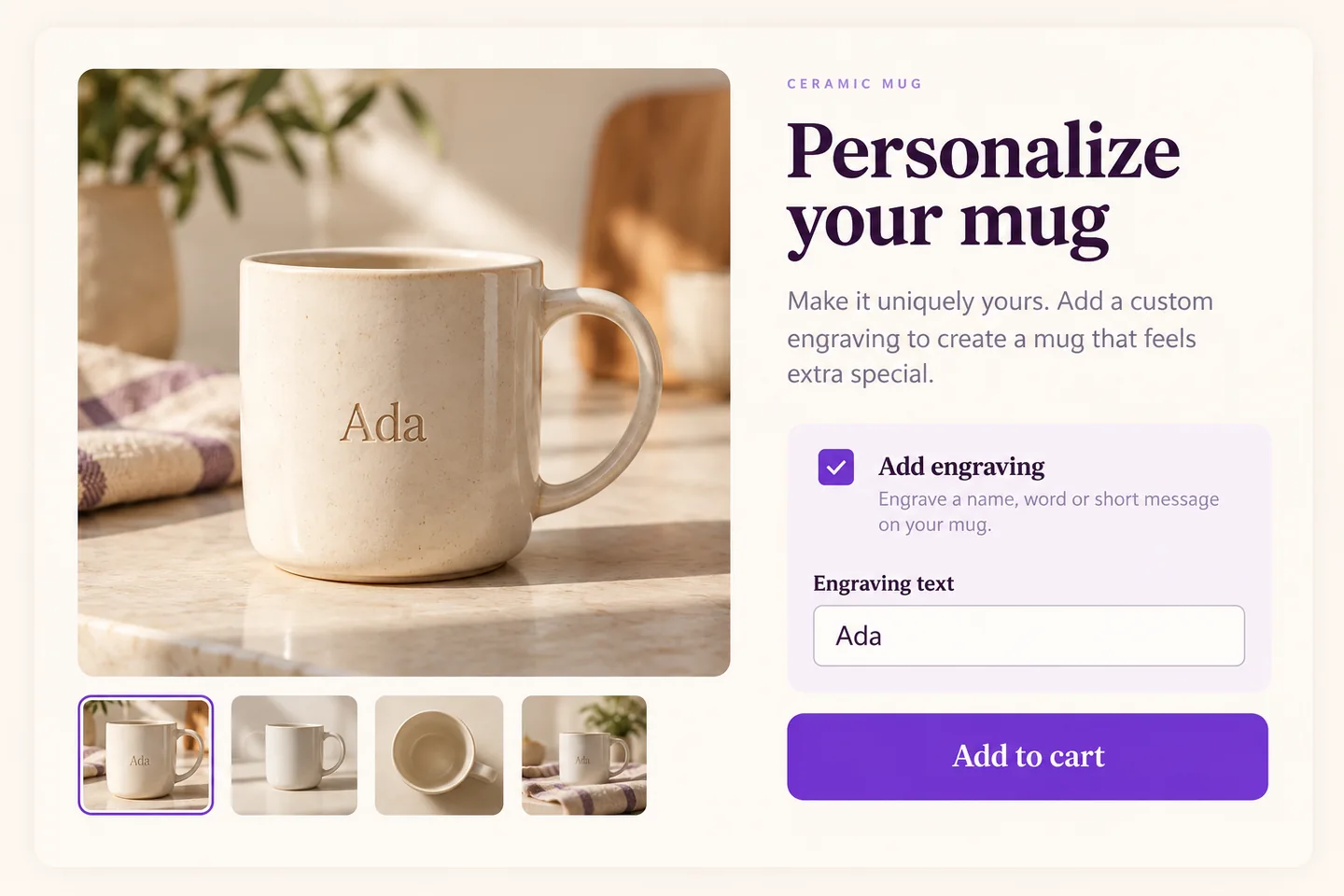
HookSpark Product Options & Add-Ons lets a mug store collect engraving text on a product. A useful starting point is one optional engraving choice and a short text field: the buyer can specify “Ada” before adding the mug. Our engraving-field tutorial explains that task in detail.
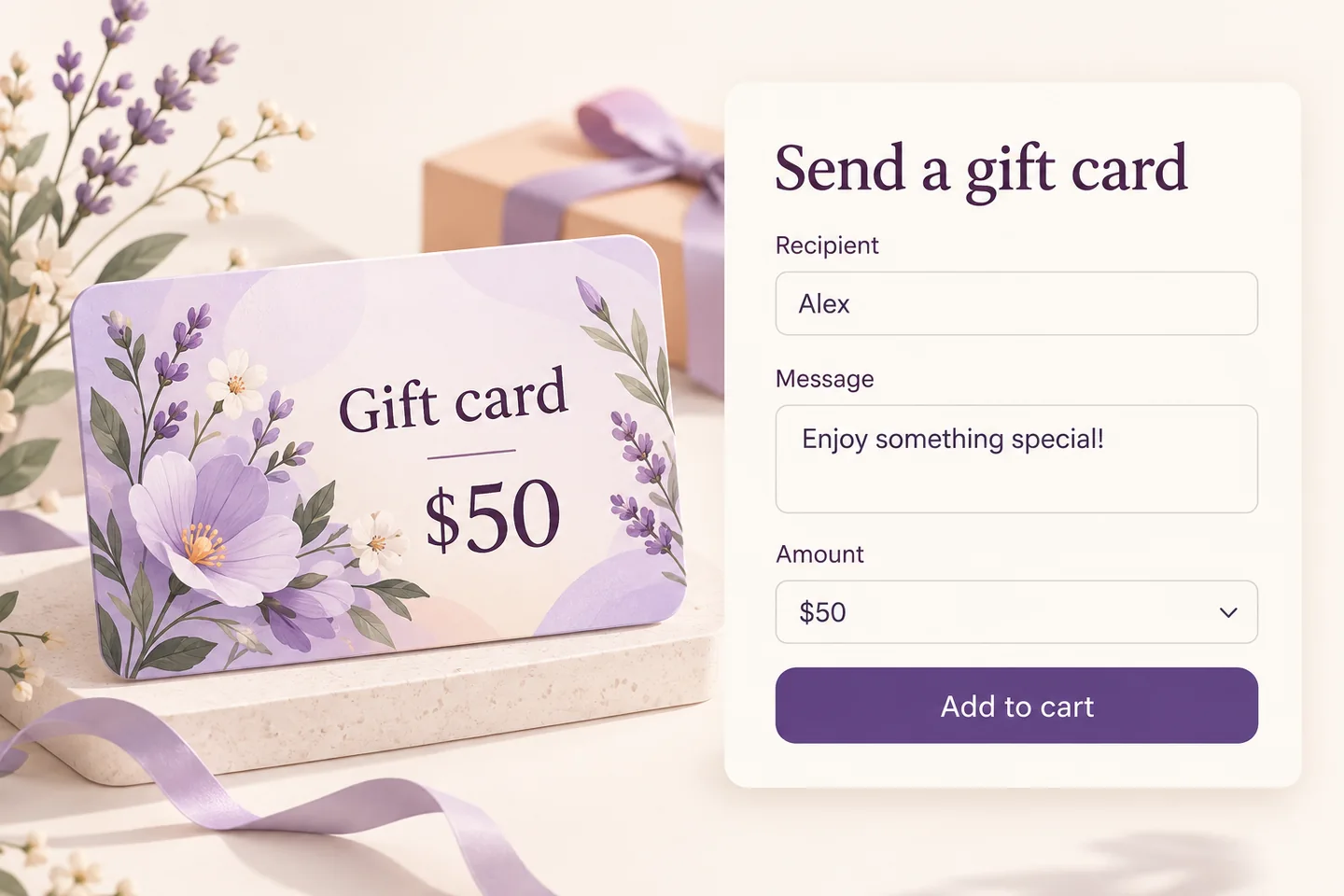
HookSpark Gift Cards addresses another need: selling a gift when the shopper does not know which item to choose. For example, the customer selects a $50 gift card, adds a recipient and writes a message. The $50 is the card’s value for the recipient, not the price of the plugin or this promotion. See the personalized gift-card guide for the workflow.
Improve the shopping and checkout journey
HookSpark Side Cart gives customers an editable cart surface, with drawer and centered-modal presentations. HookSpark Cart Notices & Checkout Messages handles contextual notices. Pick the feature that solves your problem; a cart panel and a message are different tools.
HookSpark Checkout Customizer is relevant when you need to adjust checkout presentation or fields. Its field-editor examples use the Classic checkout. Check the current edition, readiness label and compatibility information before selecting it for a Blocks checkout.
Help shoppers find products or discuss an order
HookSpark Product Filters helps shoppers narrow a catalog, for example by category. HookSpark Request a Quote provides a quotation route for orders that need a conversation. HookSpark Back in Stock & Waitlist lets interested customers subscribe to availability alerts. These solve different problems: filtering, quoting and returning stock.
How to get the offer when the campaign is active
- Open the relevant product page and review the current edition, requirements and readiness label.
- Choose its one-site plan. During the active approved campaign, confirm the first-year price is $0 in the cart and checkout; the discount is applied automatically.
- Keep these promotional plans in a separate order from any paid plans. Review the renewal amount and the consent information for every plugin.
- Complete the card-authorisation flow. Retrieve the licensed download from your account and test the plugin on staging before changing your live store.
What happens after the first year?
One redemption per plugin and account, on the one-site plan only. Each plugin has a separate annual subscription. A card is required. Renewal begins one calendar year after card authorisation at the price disclosed at checkout, unless you cancel future renewals from your account. Cancelling does not create another promotional redemption. Five-site and 25-site plans are outside this offer. Check applicable taxes and the final total at checkout.
Budget for the plugins you keep. For example, the catalog annual renewal is US$79 for Product Options and US$89 for Gift Cards: keeping both means US$168 in catalog renewals, before any checkout-specific tax treatment. They remain two subscriptions, even if you obtain them together. Your account and checkout identify the actual amounts and renewal dates.
Black Friday offer questions
Does the offer include every HookSpark product?
Only the eligible paid one-site plans in the current campaign are included. Do not assume that a free plugin, another edition or a product with closed sales is an extra paid item in the promotion.
Can I get the offer for five or 25 websites?
The approved promotion applies to one-site plans. Review the normal multi-site plans if you need coverage for more websites.
Should I wait for Cyber Monday?
Read the WooCommerce Cyber Monday deals page for that event’s timing. This is the same approved HookSpark campaign; a different event name does not create another discount or redemption.
Can these plugins create offers for my own customers?
Buying store software and building a promotion inside your shop are different tasks. Our tutorial on creating Black Friday deals in WooCommerce covers the latter with concrete examples and the appropriate tools.
Explore HookSpark plugins and review the plan that fits your store. Read the purchase and renewal terms before authorising a card.