

Use this WooCommerce Black Friday and Cyber Monday checklist to decide whether your store is ready to accept the traffic you plan to send. Check the offer, the complete purchase path and the people who will handle problems. A working homepage or a finished banner does not prove that shoppers can pay for the intended order.
In 2026, Black Friday is November 27 and Cyber Monday is November 30. Your promotion can use a different window: write its exact start, end and store timezone before scheduling email or advertising. This page covers readiness checks. Our guide to creating Black Friday deals in WooCommerce covers the promotion setup.
Start with this go/no-go checklist
| Area | Ready when | Who checks |
|---|---|---|
| Offer and margin | Products, dates, exclusions and costs are approved | Store owner |
| Stock and delivery | Selected variations and destination promises are accurate | Store and fulfillment team |
| Purchase path | Guest and account test journeys reach the expected order result | Store and developer |
| Payments and email | Provider test outcomes, order states and controlled email receipt are checked | Store and payment specialist |
| Capacity and recovery | Representative testing, backup recovery and incident ownership are agreed | Developer and host |
| Campaign launch | Messages, destinations and measurement match the approved offer | Marketing team |
For a small shop, one person may fill several roles. Record the check date, result and next action. A failed essential purchase check should block the launch until corrected and retested; a cosmetic improvement can wait.
1. Verify prices, exclusions and the end of the offer
Write down the eligible products and customers, the discount mechanism, coupon policy and maximum commitment you can afford. A US$40 mug with a 20% product discount should become US$32 before tax and shipping. A US$40 backpack excluded from that campaign should remain US$40. These are hypothetical test cases, not a current HookSpark store offer.
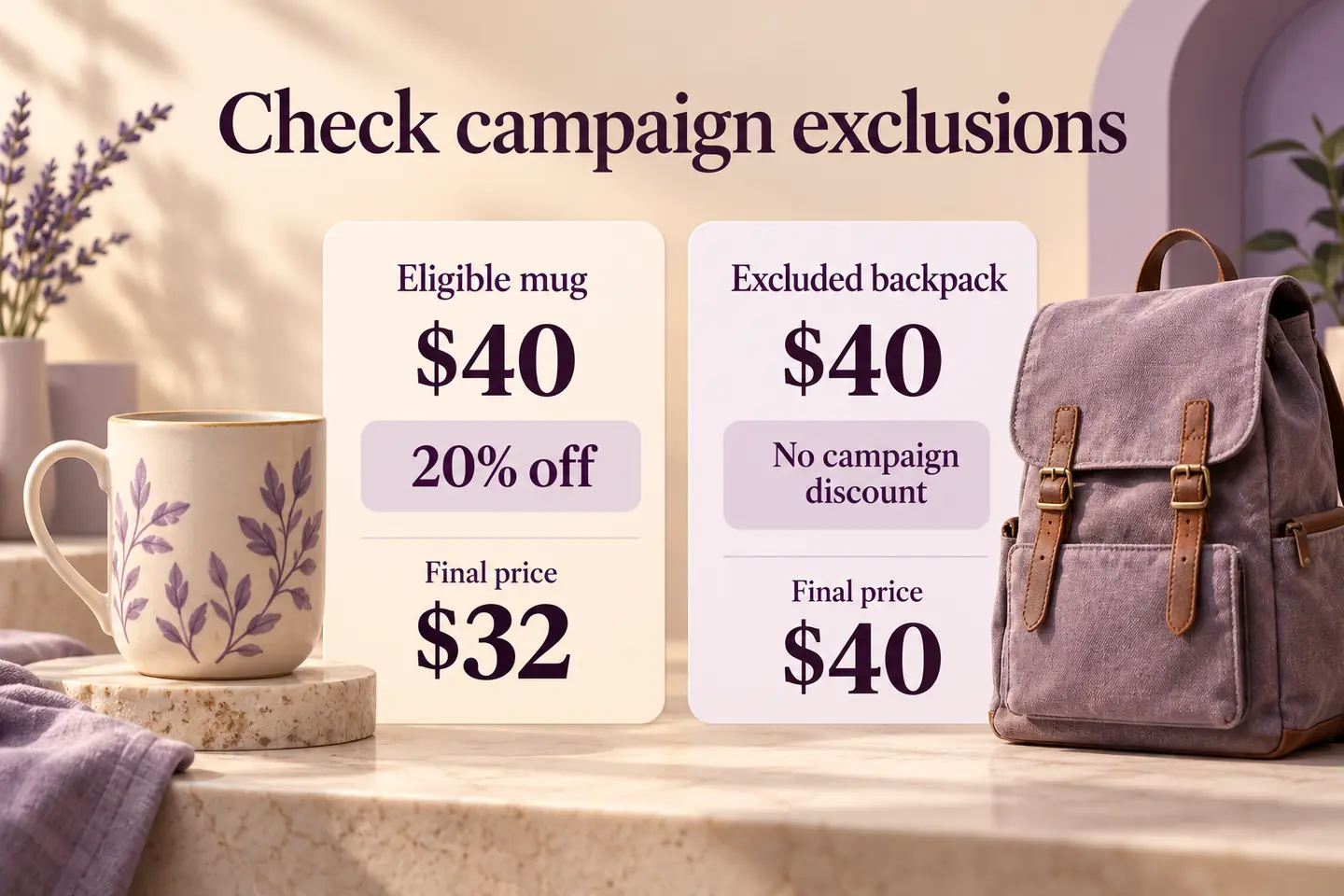
Check quantity changes, an excluded item and your actual coupon combinations. Do not assume a coupon adds to a quantity discount in the way you intended. Use the existing bulk-versus-progressive pricing explanation when choosing the mechanism, then verify its expected totals.
HookSpark Dynamic Pricing & Discount Rules is one tool for supported campaign rules. A configured rule still needs a storefront and cart check. Test before the start, during the active window and after the end in the store timezone. Confirm that the end of Cyber Monday does not leave yesterday’s price or marketing message visible.
Review what remains after goods, delivery, fees and the costs in your model. Our AOV and contribution guide explains why a larger basket alone is not evidence of a better outcome.
2. Check stock, variations and delivery promises
Select the exact sizes or colors promoted in your campaigns. An available size L does not make a sold-out size M purchasable. Check low stock, unavailable choices and any genuine backorder policy. Do not use an availability alert as a promise that a unit is reserved.
Verify supported destinations, delivery charges, packaging capacity and dispatch cut-offs with whoever fulfills the orders. If you offer free shipping, calculate the sustainable threshold and test eligibility for the chosen destination and coupon policy. Keep dispatch estimates separate from arrival estimates.
Use the product page checklist to review the actual buying information. For paid traffic to an unavailable item, follow the out-of-stock advertising guide before continuing the campaign.
3. Rehearse the complete checkout on a test environment
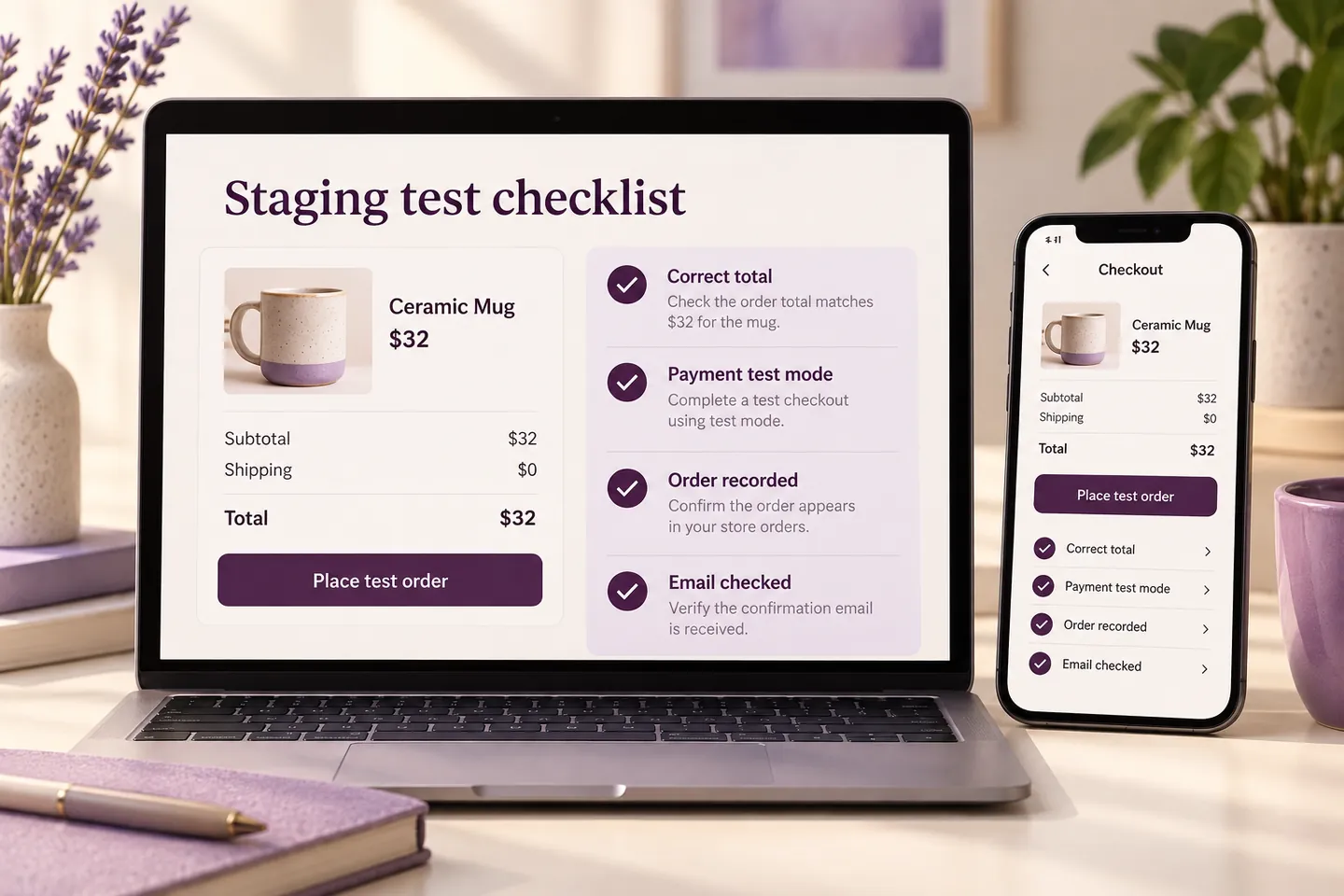
Use a protected staging environment with the relevant theme, extensions and settings. Route email to controlled test inboxes and use the payment provider’s sandbox or test mode. Do not enable test mode on the public store while customers are purchasing.
Try a guest purchase where permitted, a signed-in account, mobile and desktop, a normal basket and the campaign basket. Check option details, quantity changes, shipping, coupons, totals, required fields and the order received page. A preview of a form is not an end-to-end purchase test.
4. Check payment outcomes and transactional email
For each payment method you intend to offer, follow its current testing documentation. Cover successful payment and a supported declined or cancelled attempt. Confirm the resulting order state and that retrying does not create unintended duplicate purchases. An order created in the dashboard is not by itself proof of successful payment.
The official WooPayments Testing documentation, consulted October 27, 2026, recommends test mode for test orders and distinguishes those transactions from live payments. Use the equivalent instructions for your actual provider. This checklist does not claim that HookSpark has tested your gateway or store.
Check customer and merchant messages in inboxes you control, including order details and the selected options. A successful mail handoff is different from inbox receipt. Confirm the email and queue services you rely on, rather than assuming that a payment success proves every follow-up worked.
5. Agree capacity, backup and an incident plan
Discuss your expected peak with the host and developer. If load testing is appropriate, agree its scope and run representative browsing, cart and checkout journeys in an isolated environment. Do not launch an unannounced load test against production or treat a fast cached homepage as checkout capacity evidence.
Complete routine changes early enough to test and fix them. Keep a recent recoverable backup and a written plan for urgent changes. A security issue may require action during a planned freeze; assign approval, testing and recovery responsibility instead of forbidding every change blindly.
Distinguish rolling back code from restoring an old order database. A database restore can lose orders received after that backup. Agree how those orders will be preserved and reconciled before using a restore during trading. Name who can pause a campaign and who communicates with customers.
6. Match the campaign messages to the tested store
Check every email and advertisement destination, the selected product, offer wording and actual timing. Avoid false countdowns or stock claims. Verify measurement using your configured analytics and consent setup; separate attempted checkouts, completed orders and refunds.
The official WooCommerce Analytics and Sales Reports documentation, consulted October 27, 2026, distinguishes orders, net sales, refunds and other metrics. Use consistent definitions when reviewing the event instead of treating clicks or submitted forms as purchases.
Check the current HookSpark Black Friday and Cyber Monday offers
If you are choosing tools for these tasks, review the HookSpark WooCommerce Black Friday deals and HookSpark WooCommerce Cyber Monday deals. Those pages show the current promotion status, eligible plans, timing and renewal terms. Read them before purchasing; this readiness checklist does not activate, extend or promise an offer. Your own store promotion needs its own customer-facing terms.
Questions before launch
Do I need separate Black Friday and Cyber Monday checklists?
Use one readiness record for the shared store, then retest anything that changes between the two events: products, prices, stock, deadlines or messages.
Does passing a test order guarantee the store can handle the sale?
No. It verifies that journey under those conditions. Capacity, concurrency and external services need their own proportionate checks.
What if preparation starts late?
Prioritize accurate offers, available stock, working payment and delivery, controlled email and a recovery owner. Reduce campaign scope rather than treating untested additions as ready.
Before launch, mark each essential check as passed, failed or not applicable with a reason. Publish the approved offer only after the failed purchase checks have been resolved, then monitor actual orders and support during the event.