

You want to reward customers who buy six notebooks instead of one. But should the lower price apply to all six notebooks, or only to the sixth and later units? That choice changes the total from $96 to $116 in the same cart.
WooCommerce tiered pricing means setting quantity-based price bands. The term alone does not tell you how those bands are calculated. This guide compares bulk pricing, where the reached band applies to every eligible unit, with progressive pricing, where each band applies only to its own units. You can configure both with HookSpark Dynamic Pricing & Discount Rules, a free plugin.
What is WooCommerce tiered pricing?
A quantity band defines when a price or discount starts. For example, your notebook normally costs $20, and the band starting at quantity 6 sets a $16 unit price. The next question is essential: does $16 apply to the whole selection, or only to units from the sixth onward?
Different pricing tools use “tiered,” “volume” and “quantity discounts” differently. Check the calculation rather than choosing a rule by its name. In HookSpark, the two rule types are explicitly labelled Quantity: same price for every unit and Quantity: progressive price bands.
The examples below use one simple product, one cart line, a $20 regular price and one band starting at 6 with a $16 unit price. No other discounts or coupons apply. Totals exclude tax and shipping; use the same tax basis as your catalog prices when configuring your store.
Bulk vs progressive pricing: compare the same quantities
| Notebooks | Bulk line total | Progressive line total |
|---|---|---|
| 1 | $20 | $20 |
| 5 | $100 | $100 |
| 6 | $96 | $116 |
| 7 | $112 | $132 |
| 10 | $160 | $180 |
Both methods reward a larger quantity. They make different promises to the customer and have different effects on revenue. Neither is automatically the right choice for every store.
Bulk: the reached price applies to every unit
At five notebooks, the customer pays 5 × $20 = $100. At six, the entire line qualifies for the $16 price: 6 × $16 = $96. At seven, the total is 7 × $16 = $112.
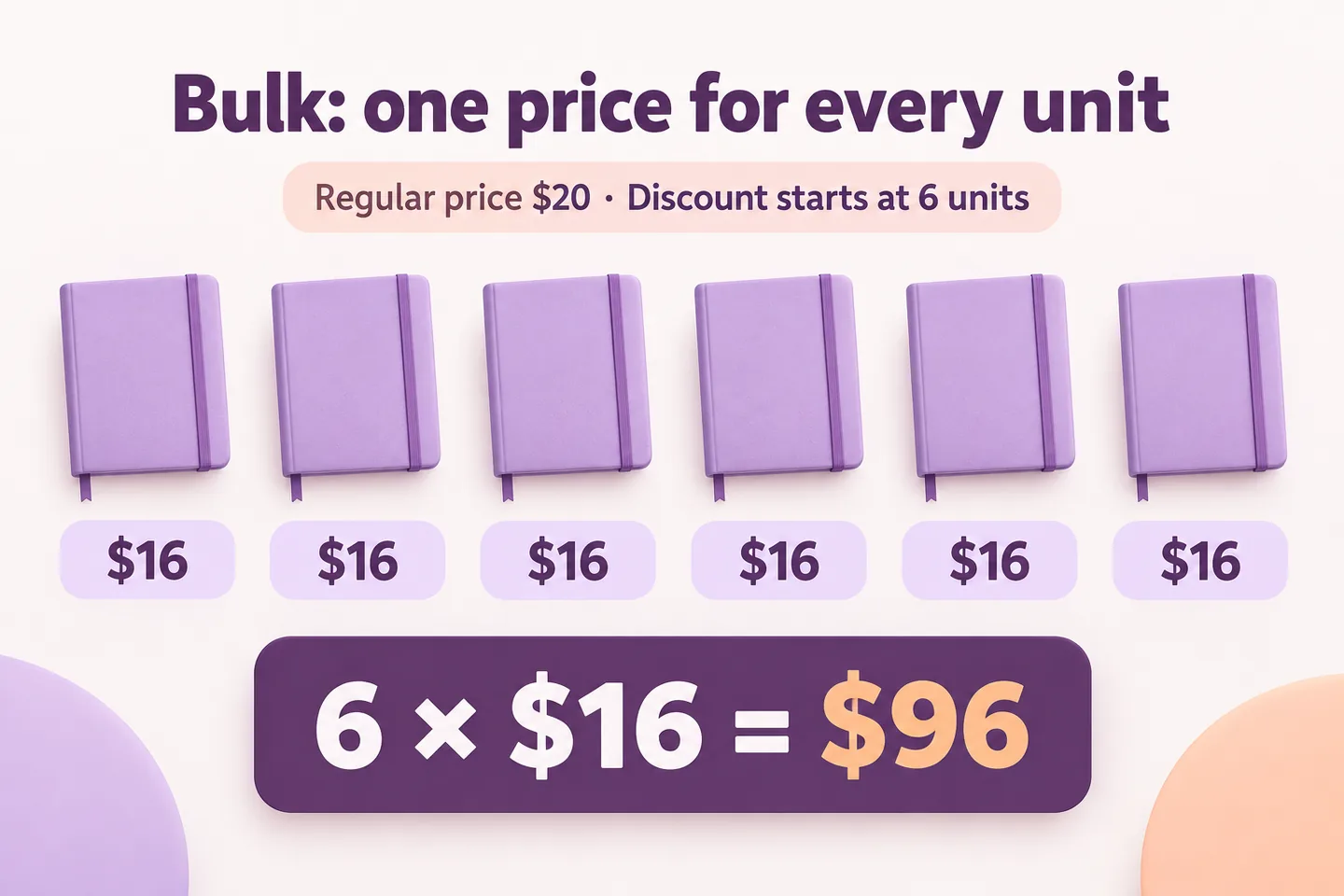
This fits a promise such as “Buy 6 or more notebooks and pay $16 each.” Notice the threshold effect: six notebooks cost less in total than five. That can be intentional, but check it before publishing the offer. Reducing the size of the price drop or changing the threshold may better fit your margins.
For a walkthrough focused on this calculation, see our WooCommerce bulk discount tutorial. Here, the decision is whether that whole-line discount matches your business policy.
Progressive: only units in the new band receive its price
With progressive pricing, the first five notebooks keep their $20 price. Only the sixth notebook enters the $16 band. Six cost (5 × $20) + (1 × $16) = $116. Seven cost (5 × $20) + (2 × $16) = $132.
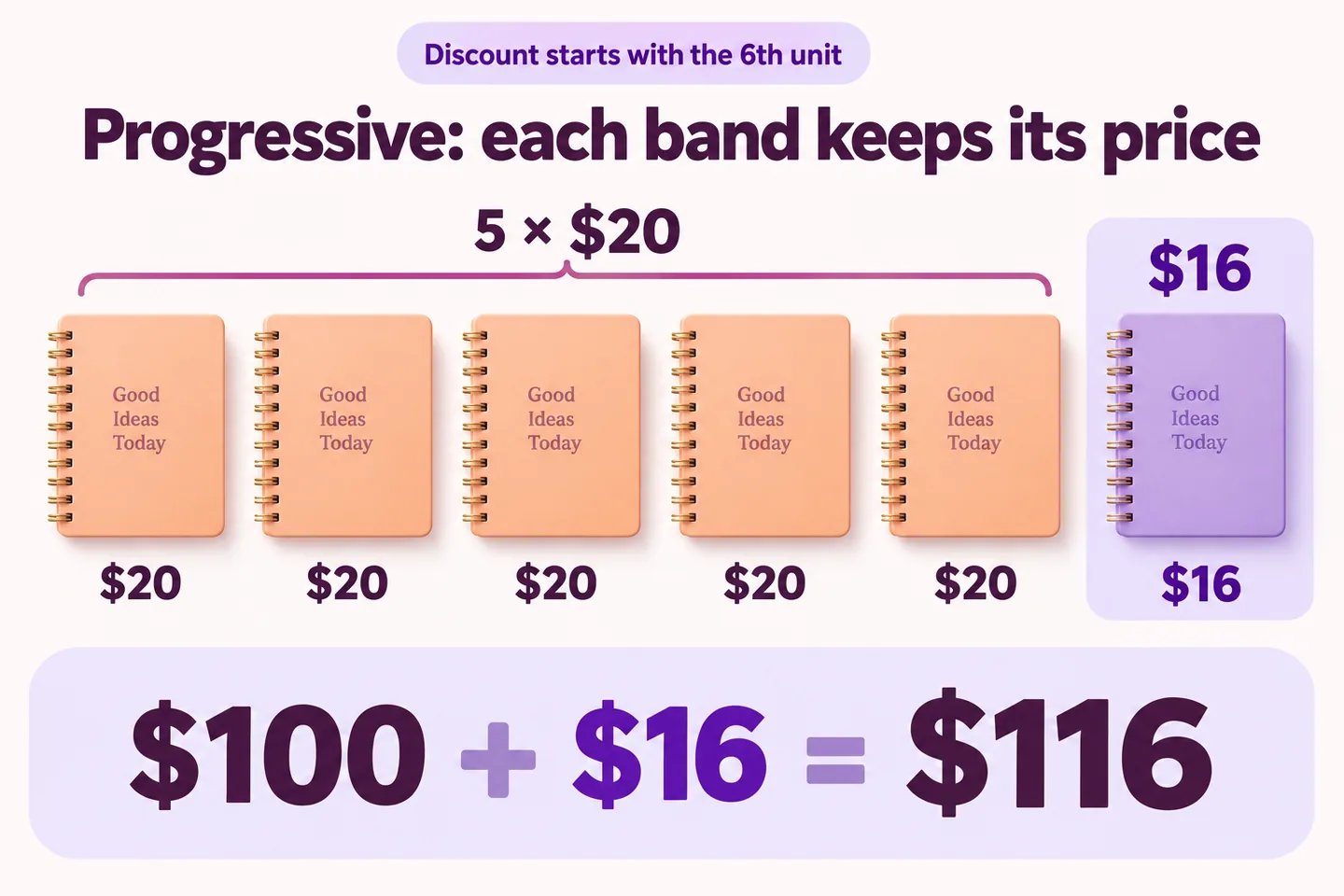
The accurate promise is “The first 5 notebooks cost $20 each; additional notebooks cost $16 each.” Saying “6 or more: $16 each” would misrepresent this rule. At six, the average price is approximately $19.33, but that does not mean each individual unit has a $19.33 band price.
Which pricing method should your store use?
Choose bulk when you intend to give the customer a better unit price across the whole qualifying selection. This can suit a published volume price list for supplies ordered in larger quantities.
If each large order needs a proposal reviewed by your team, adding a request a quote button in WooCommerce covers a separate route. Submitting a request does not calculate these quantity bands or reserve the goods.
Choose progressive when you want to discount additional units while retaining the earlier units’ price. This can suit a policy where the first portion of a purchase covers costs that later units do not repeat. Your actual costs still determine whether the price is viable.
For a simple margin illustration, suppose a notebook costs you $12, excluding shipping, tax, payment fees and other operating costs. Six notebooks cost $72. The bulk example leaves $24 before those other costs; progressive leaves $44. These are hypothetical calculations, not profit forecasts or evidence that one method will sell more.
Write the customer-facing offer first, calculate quantities on both sides of the threshold, then choose the rule that reproduces that offer. A higher average price alone does not make a pricing policy clearer or more effective.
How to set up quantity bands with HookSpark
Install and activate the Free Dynamic Pricing & Discount Rules plugin, then open HookSpark → Pricing & Discounts in your WordPress admin. Start on staging with one simple notebook product priced at $20 and enough stock to test quantities through 10. Use the Dynamic Pricing documentation for the full editor and store-specific settings.
- Create one rule and target the notebook. Give it a descriptive internal name, such as “Notebook quantity pricing.” Keep other overlapping promotions out of this first test.
- Choose the calculation. Select “Quantity: same price for every unit” for bulk, or “Quantity: progressive price bands” for progressive. Test these as alternatives; do not enable both and expect their discounts to add together.
- Set Price adjustment to “Set unit price.” We are setting a $16 price, not subtracting $16 and not applying 16% off.
- Enter the quantity band. Under “Quantity bands,” set “From quantity” to 6 and “Band value” to 16. Replace any starter band you do not intend to use. In this example there is only one band.
- Save and test the enabled rule. Check quantities 5, 6 and 7 against the comparison table above. Return to 5 to confirm that the discount no longer applies.
“From quantity” defines where the band starts. The separate “Minimum quantity” condition determines rule eligibility; it does not force the customer to buy six notebooks. For this example, avoid adding eligibility restrictions, end dates or maximum quantities that would change the expected results.
If you need to require a minimum purchase or sell only whole packs, that is a separate quantity rule. Our guides to minimum order quantity per product and selling products in packs of six explain those requirements. A pricing discount alone does not enforce them.
What changes with several bands or products?
Suppose you add a second band starting at 10, with a $14 unit price. With bulk, 10 notebooks cost 10 × $14 = $140. With progressive, the first five cost $20, units 6–9 cost $16, and unit 10 costs $14: $100 + $64 + $14 = $178.
Enter band start quantities in increasing order and test each boundary. Avoid two different prices starting at the same quantity. The last band continues unless your rule’s eligibility conditions limit it.
HookSpark calculates progressive bands per cart line. Do not assume that three units of one variation and three of another form one progressive six-unit line. Bulk can count eligible quantities together, depending on its targeting and quantity scope; verify that scope before advertising a mix-and-match offer. This walkthrough deliberately uses one simple product.
Check the offer before customers see it
- Thresholds: test 5, 6 and 7, then decrease back to 5. Check the actual cart line total, not just a price table.
- Wording: bulk says all eligible units receive the reached price; progressive explains which units keep the earlier price.
- Other promotions: test your sale prices, coupons and overlapping rules separately. The table assumes none of them applies.
- Taxes and currency: check the store’s price-entry basis, displayed taxes and final checkout amount. Do not copy a tax-exclusive example into tax-inclusive advertising unchanged.
- Purchase flow: complete a test order with a test payment method and inspect its line total. Check your actual theme on desktop and mobile.
If the total differs, first inspect the selected rule type, adjustment method, band start and target product. Then check whether another rule, a coupon or a sale price changes the calculation. Clear relevant storefront caches after configuration changes.
For a seasonal application, the tutorial on creating Black Friday deals in WooCommerce places these calculations alongside BOGO and a separate quantity cap. Treat the offers as alternatives and test any deliberate combination.
WooCommerce tiered pricing questions
Does tiered pricing always discount every unit?
No. Bulk applies the reached band to every eligible unit. Progressive applies each band only to its corresponding units. The phrase “tiered pricing” alone is not enough to establish the calculation.
Can I set a different price for each quantity range?
Yes. HookSpark’s quantity bands let you add increasing start quantities and values. Select “Set unit price” when the value should be the resulting price, then choose bulk or progressive according to how it should apply.
Can I create progressive pricing with the Free plugin?
Yes. “Quantity: progressive price bands” is available in HookSpark Dynamic Pricing & Discount Rules Free, alongside the same-price quantity rule.
Does a band starting at six stop customers buying five?
No. In this setup, five remain purchasable at the regular price. Use a separate minimum quantity rule if the purchase must contain at least six.
Why does the cart show an average unit price?
A progressive cart line can contain units priced in different bands. An average or rounded per-unit display represents that line; it is not a promise that every unit has the same band price. Check the full line total and explain the bands clearly.
Choose the calculation before setting the discount
Decide whether the lower price belongs to every qualifying unit or only to additional units, then test the threshold. Explore HookSpark Dynamic Pricing & Discount Rules and use its Free quantity rules to reproduce your offer.