
 HS Gift Cards
for WooCommerce
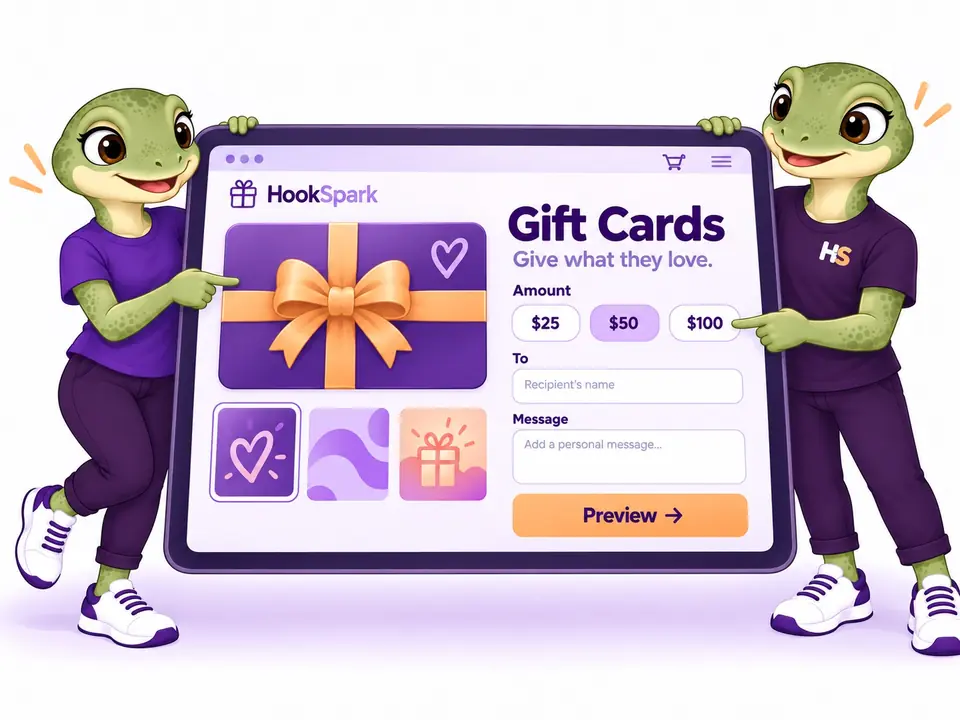
Sell digital gift cards in WooCommerce and let customers send a personal gift by email. Offer custom artwork, scheduled delivery and a product suggestion while giving recipients the freedom to choose.
- Offer a gift when the right product is hard to pick.Let shoppers choose a gift card instead of guessing what someone else would like.
- Make the gift feel personal.Let customers personalize their gift card with artwork for the occasion.
- Plan the moment it arrives.Schedule gift-card email delivery for birthdays, celebrations and other occasions.
- Give inspiration without limiting choice.Let customers suggest a product as a gift while the recipient keeps the choice.
$89.00/year$0.00/yearSave $89.00
First year only · 1 site Then $89.00/year.
Auto-renews annually. Turn off renewal anytime in your account.
1 year of updates & support included.
30-day first-purchase refund, subject to our business terms and refund policy.
MADE FOR REAL STORE SCENARIOS
Sell personal gift cards and make the balance simple to use.
From choosing the artwork to saving and combining credit, make every step clear for the buyer, recipient and merchant.
01 / MAKE IT PERSONAL
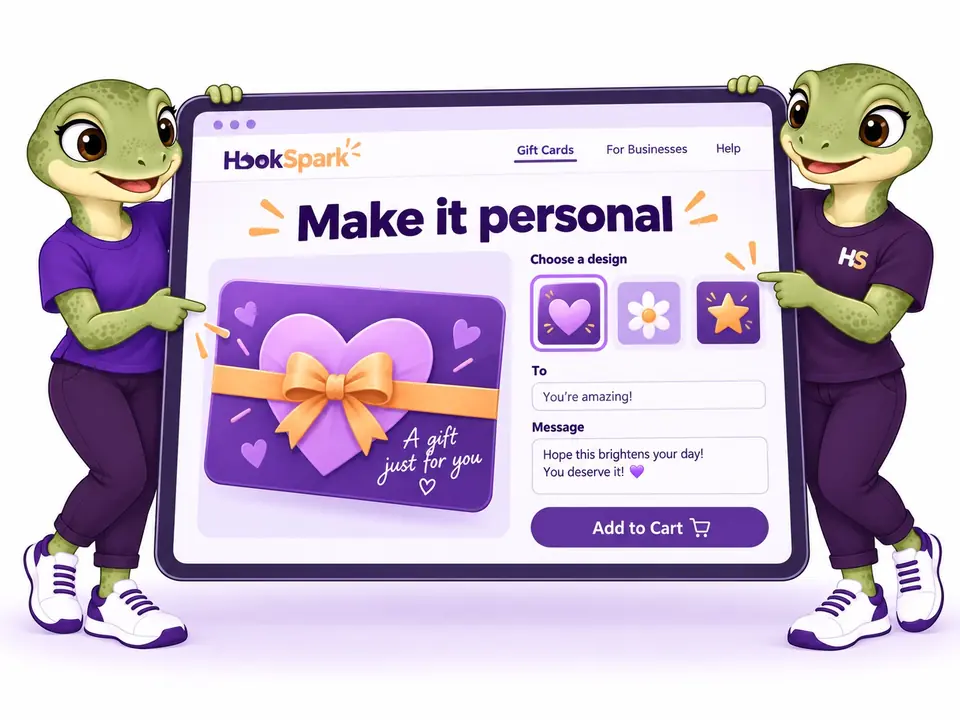
Let shoppers choose gift card amounts, artwork and messages.
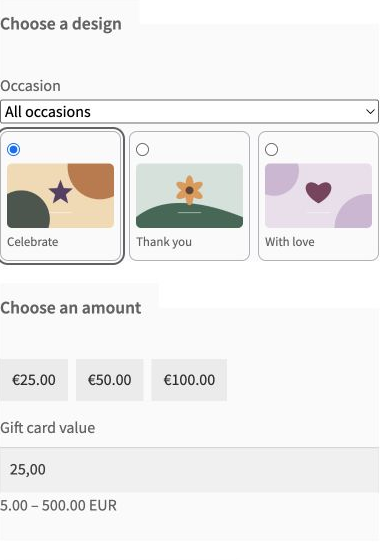
Let shoppers choose a gift-card amount, gallery artwork or their own photo, then add a message and preview the recipient email before adding the gift to the cart.
- Gallery artwork or a validated customer photo
- Sender, recipient and a personal message
02 / GIFT THIS PRODUCT
Offer a digital gift card worth the selected product.
Turn a product or selected variation into a gift card of the same displayed price. The email includes the suggestion, while the recipient can choose how to spend the credit.
- Use the price of the selected variation
- Suggest a product without reserving or shipping it

03 / THE RIGHT MOMENT
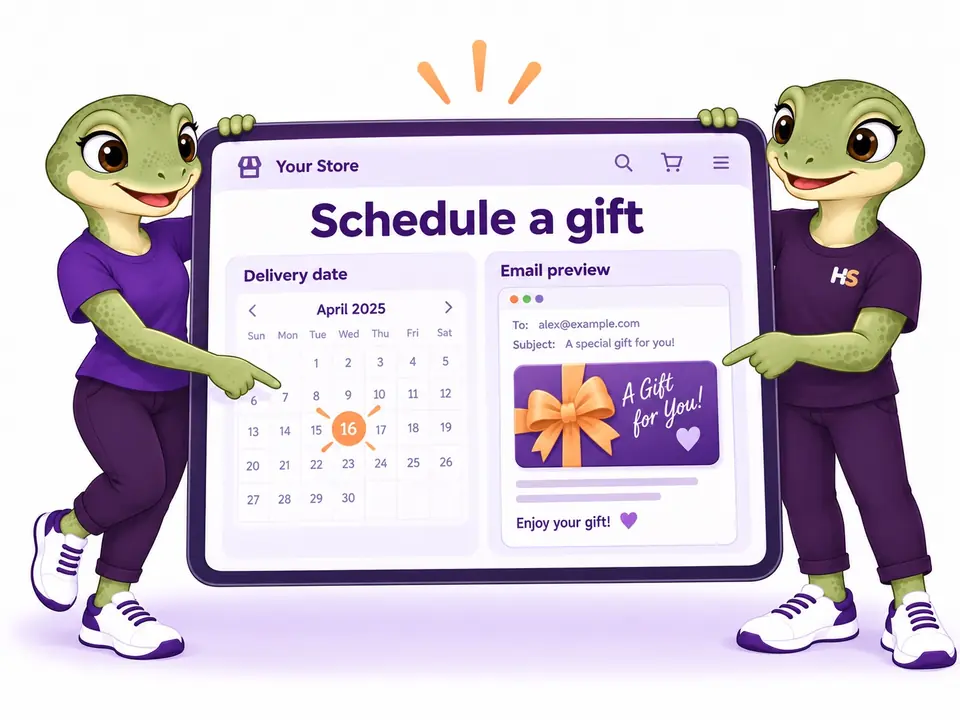
Schedule gift card emails for a chosen date.
Send the gift after payment or schedule a future date and time in your store timezone. Test the real template, notify the buyer after sending and alert the merchant after repeated failures.
- Test email, buyer confirmation and merchant failure alert
- Scheduled delivery in the store timezone
04 / THE FREEDOM TO CHOOSE
Let recipients save and combine gift card balances.
Recipients can claim cards in My Account, inspect the original and available balance, and apply several cards to one order. Unused credit remains available for later.
- Protected My Account wallet with masked codes
- Multiple cards, partial use and mixed payment

05 / PROMOTIONS WITH FULL VALUE
Offer a lower purchase price while preserving the gift value.
Run a percentage promotion on the gift-card product while the recipient receives the full stated value. The order records the price paid and the credit issued separately.
- Separate promotional price from nominal gift value
- Keep ordinary coupons available for eligible merchandise

06 / TOOLS FOR DAILY OPERATIONS
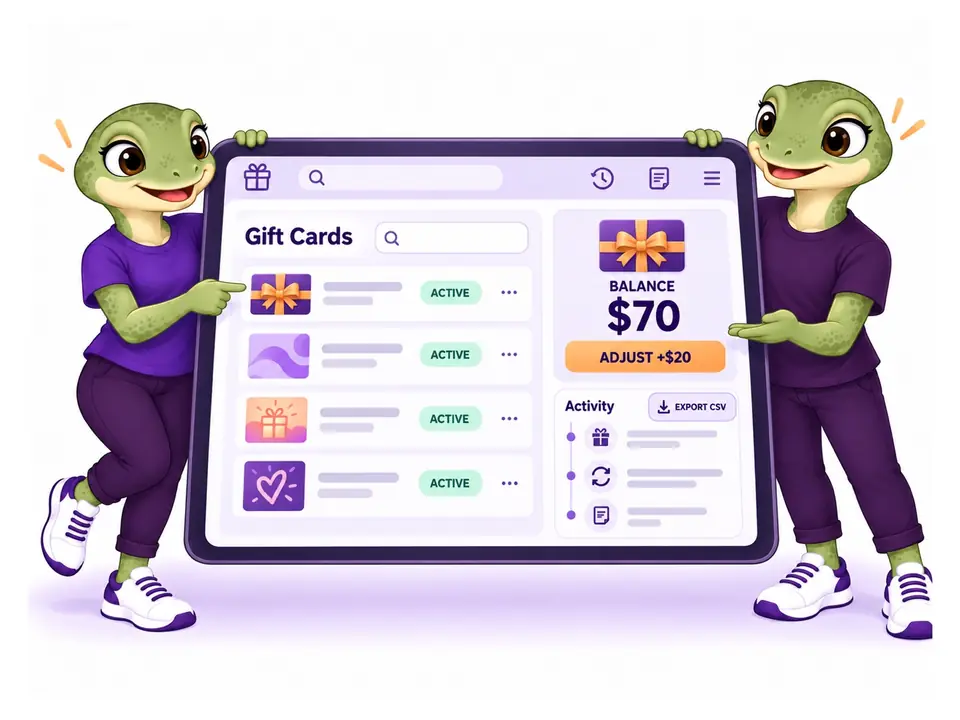
Recover delivery and credit issues with an audit trail.
Search cards, export masked operational data, issue a bounded batch, adjust a balance with a reason, or replace an exposed code without losing its history.
- Bulk issue, reports and masked CSV export
- Audited adjustments and secure code replacement
THE PLUGIN IN PRACTICE
See how it works in WooCommerce.
Real examples from the plugin interface. Open an image to inspect the details.

Screenshots show the English interface. Demo products, prices and settings are examples.
LESS IMAGINING. MORE TRYING.
Try WooCommerce gift cards, from both sides.
Create a thoughtful gift. Explore the controls behind it.
Be the customer.
Choose artwork, enter an amount and personalize a gift card.
Try frontend demoMake it your store.
Configure gift cards, explore email designs and inspect sample credit.
Try admin demoYour personal admin demo lasts 60 minutes. Use sample details: no real payments or external emails.
Ready to make it yours?
Choose your license View plans and pricing at the top of this page.Manage gift card credit after delivery
Keep unused gift card credit for another order
Apply several cards to native classic or Blocks checkout. Each allocation remains visible and removable; unused credit stays available for a later purchase.
Review gift card activity
Inspect balances and movements. Suspend a card, resend its email or return a spent credit amount.
Manage gift card settings and access
English and Italian admin, shared HookSpark controls and a dedicated WooCommerce product panel.
Connect gift cards with your WooCommerce store
Gift Cards uses WooCommerce orders, native checkout and scheduled actions. Its admin follows the shared HookSpark interface. Companion plugins are optional.
Co-installation with Min/Max, Pricing and Messages has been smoke-tested. Automatic product-option pricing and cross-plugin promotion rules are outside this beta’s verified scope.
Read the integration boundaries →Compatibility
Selected local checks; open the details for exact versions and limits.
Tested scenarios and limits
Gift card compatibility and current limits
Native classic and Blocks checkout, partial and fully covered offline orders, product variations, transactional credit and HPOS have been checked locally. Test your payment gateway, email delivery and theme on staging before accepting real money.
Read the full compatibility notes →Platform requirements
Headers: WordPress 6.8, WooCommerce 10.6 and PHP 8.2 minimum. Verified lab: WordPress 7.1.1, WooCommerce 11.1.0, PHP 8.2.29, MySQL 8.4 and Storefront 4.6.2, HPOS without synchronization. The minimum-version matrix, legacy storage, online gateways and external email clients remain release gates.
Astra and WPML: tests of 6 October 2026
Gift Cards 0.2.0-beta.1 passed selected checks on WordPress 7.1.2, WooCommerce 11.1.0, PHP 8.2.29, HPOS, Astra Free 4.14.0/Pro 4.13.10, WPML CMS and String Translation 5.1.0, and WooCommerce Multilingual 5.6.2. A €50 gift value, Unicode message and preview were observed; selected Italian gettext text appeared in the browser.
The preview does not establish issuance, recipient delivery, translated emails/media or multicurrency behavior. Test payments and email delivery separately. These selected local checks do not certify every theme module, translated custom field, currency, browser, builder or cache setup.
Elementor Free and Pro: 9 October 2026
The Pro Single Product Add to Cart widget showed one gift-card composer and retained recipient, design, message and €50 value in a native test order. In Elementor Free, use the Shortcode widget with [hs_gift_cards] to show the composer.
A generic WooCommerce product_page shortcode is not the gift composer. These builder checks do not qualify recipient delivery, payment processing, issuance, redemption or multicurrency.
Checked with Elementor Free 4.3.4 and Pro 4.3.1 on WordPress 7.1.3, WooCommerce 11.1.0 and PHP 8.2.29.
PRODUCT CHANGELOG
Latest updates
Recent development updates. Select a row to read the details.
HS Gift CardsElementor Free and Pro: tested WooCommerce pathsTested 0.2.0-beta.4
Selected local builder checks — see scope and limits
Elementor Free and Pro: tested WooCommerce paths
- The Pro Single Product Add to Cart widget showed one gift-card composer and retained recipient, design, message and €50 value in a native test order. In Elementor Free, use the Shortcode widget with [hs_gift_cards] to show the composer.
- A generic WooCommerce product_page shortcode is not the gift composer. These builder checks do not qualify recipient delivery, payment processing, issuance, redemption or multicurrency.
- Test stack: Elementor Free 4.3.4 / Pro 4.3.1, WordPress 7.1.3, WooCommerce 11.1.0, PHP 8.2.29, Twenty Twenty-Five.
- All supplied editions include dated compatibility notes inside their ZIP package; the first browser checks were recorded on 9 October and final native checks on 10 October.
HS Gift CardsWooCommerce product controls in Elementor Pro0.2.0-beta.4
Builder integration update
WooCommerce product controls in Elementor Pro
- Restore the gift-card composer and eligible gift links in Elementor Pro Single Product Add to Cart; use [hs_gift_cards] in Elementor Free.
- A generic WooCommerce product_page shortcode is not the gift composer. These builder checks do not qualify recipient delivery, payment processing, issuance, redemption or multicurrency.
HS Gift CardsConnect your AI and review configuration proposals0.2.0-beta.3
Optional AI access — human approval required
Connect your AI and review configuration proposals
- Read supported plugin configuration and prepare validated proposals through the official WordPress MCP Adapter.
- Use one HookSpark AI access switch and review screen for installed plugins; the same WordPress user approves changes within 15 minutes.
- Manual configuration remains available. AI proposals do not automatically apply changes or execute customer transactions.
HS Gift CardsAstra compatibility: gift-card previewTested 0.2.0-beta.2
Compatibility documentation update — selected tests and limits apply
Astra compatibility: gift-card preview
- The unchanged Gift Cards beta was exercised with Astra Free and Pro on the recorded HPOS test stack.
- A €50 gift value, Unicode message and preview were observed; selected VAT, credit and ledger checks passed.
- Recipient delivery, email clients, broader theme combinations and payment gateways were not certified.
- Package documentation: 0.2.0-beta.2 includes the dated compatibility note; underlying test versions and limitations are recorded below.
HS Gift CardsWPML compatibility: Italian gift-card stringsTested 0.2.0-beta.2
Compatibility documentation update — selected tests and limits apply
WPML compatibility: Italian gift-card strings
- Selected Italian gettext text was observed with WPML active; translated emails, media and multicurrency were not established.
- This is a scoped coexistence/translation observation, not a certification of all multilingual paths.
- Test stack: WordPress 7.1.2, WooCommerce 11.1.0, PHP 8.2.29, HPOS, Astra Free 4.14.0/Pro 4.13.10, WPML CMS/String Translation 5.1.0 and WCML 5.6.2.
- Package documentation: 0.2.0-beta.2 includes the dated compatibility note; underlying test versions and limitations are recorded below.
WooCommerce gift cards: common questions
Is “Gift this product” an order for that item?
It creates store credit equal to its current displayed price and includes the product suggestion. It does not reserve stock or ship the item.
Can the recipient spend it over multiple orders?
Yes. Unused credit remains on the same code. Several cards can fund one order. Gift credit cannot be used to buy more gift cards.
Can I schedule the email?
Yes, for a future date from 08:00 in the store timezone, after payment. Scheduled actions must run. The demo captures email privately instead of sending it.
Is this ready for production?
This beta is verified for its documented scope. Test your own gateway and webhooks, mail provider and recipient clients, tax and accounting setup, theme, backup and expected volume on staging before accepting real money.
What happens when a demo expires?
Access lasts 60 minutes. The cleanup job subsequently deletes the temporary site, user and gift-card records. A new demo starts from fresh sample data.
What was tested with Astra and WPML?
Selected local scenarios were run on WordPress 7.1.2, WooCommerce 11.1.0, PHP 8.2.29, HPOS, Astra Free 4.14.0/Pro 4.13.10, WPML CMS and String Translation 5.1.0, and WooCommerce Multilingual 5.6.2. Results differ by edition; the compatibility section above records the observed behavior, failures and untested paths.
OPTIONAL AI CONNECTION
Describe your setup. Review the proposal.
Connect your compatible AI client to read supported settings and prepare a configuration proposal. Review gift-card configuration or propose a gallery design with existing artwork.
- Enable access once in HookSpark → Connect your AI.
- Ask your AI to prepare supported changes.
- Review the details in WordPress and approve before anything is saved.
One connection serves your installed HookSpark plugins. Manual controls remain available. Proposals expire after 15 minutes and must be approved by the same WordPress user.
See connection requirements, supported actions and setup steps →
Try personalized WooCommerce gift cards.
Compose it as a shopper. Manage it as a store owner.