
 HS Min/Max Quantities
for WooCommerce
Set WooCommerce minimum and maximum quantities that match the way you sell. Offer products in packs, set a minimum order amount and show shoppers how to meet your quantity limits.
- Sell in packs without guesswork.Use quantity multiples for cases, sets and products that must be ordered in fixed increments.
- Set the right size for an order.Define minimum and maximum quantities, plus order amount limits that fit your store.
- Apply rules to the right products.Include or exclude products, variations, categories and tags instead of setting the same limits everywhere.
- Make restrictions easier to understand.Give shoppers clear messages when their cart needs a different quantity or order amount.
MADE FOR REAL STORE SCENARIOS
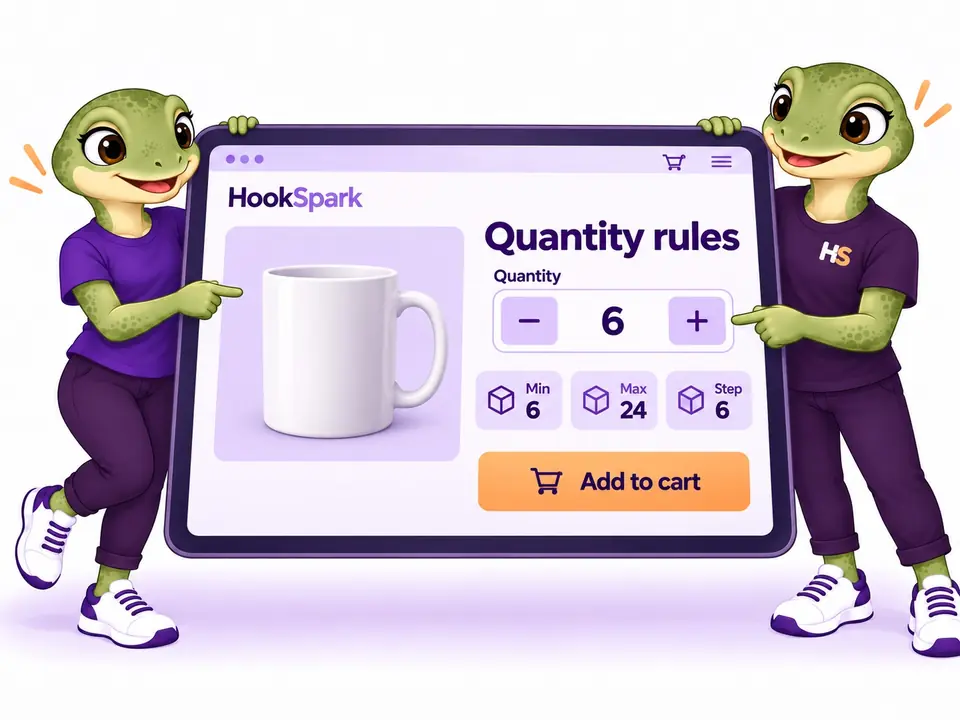
Set WooCommerce quantity limits and minimum order amounts.
From a box of six to a minimum order value, give shoppers clear buying rules.
01 / PACK SIZES
Set minimum order quantities, maximums and pack sizes.
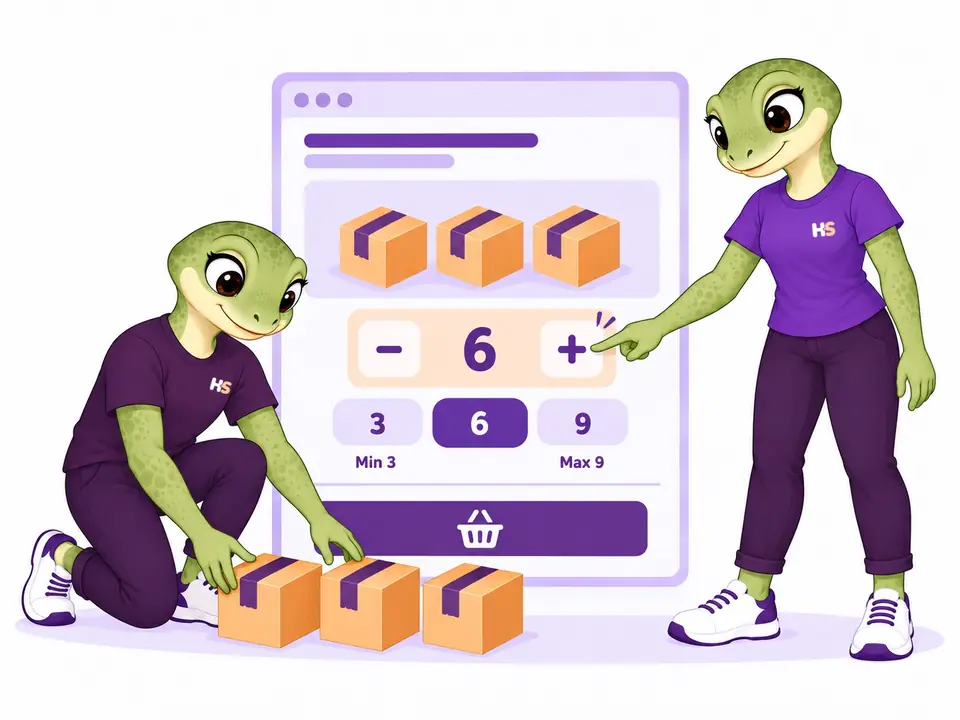
Sell products in whole packs, with minimums, maximums and a starting quantity that matches how you sell. A pack size of three keeps shoppers choosing 3, 6 or 9 units.
- Minimum, maximum and pack size in one rule
- Starting quantities on product pages
02 / ORDER VALUE
Set a minimum order amount for your store.
Require an order value such as €100 and choose exactly what counts toward it. Check spend before or after discounts, with explicit settings for taxes, shipping and fees.
- Choose how discounts affect the threshold
- Explain the requirement with customer messages

03 / PRODUCT VARIATIONS
Apply quantity limits to separate or combined variations.
Count variations separately or together to match how you sell. Set the scope for products, categories or customers, and keep exceptions explicit when a rule should not apply.
- Separate or combined variation counts
- Product and customer exclusions

04 / COMBINED QUANTITIES
Set minimum order quantities across products and categories.
Let customers combine different eligible products to reach one shared minimum. Six notebooks plus six mugs satisfy a group minimum of twelve; the requirement does not have to be met by each product separately.
- Choose the products or categories included in the group
- Count eligible units together, with explicit exclusions

05 / CUSTOMER RULES
Set purchase limits by customer role.
Set a minimum of one for retail customers and twelve for an existing wholesale role. Choose the customer roles each rule applies to, with explicit exclusions when a rule should not apply.
- Target existing customer roles
- Keep exceptions explicit

THE PLUGIN IN PRACTICE
See how it works in WooCommerce.
Real examples from the plugin interface. Open an image to inspect the details.
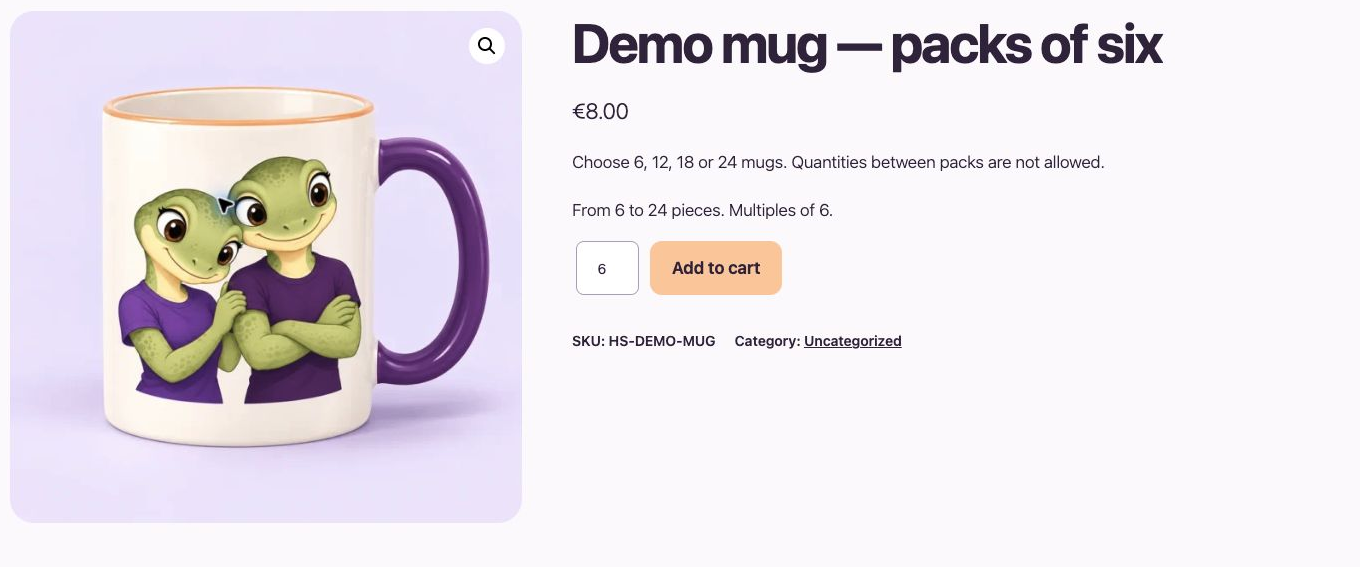
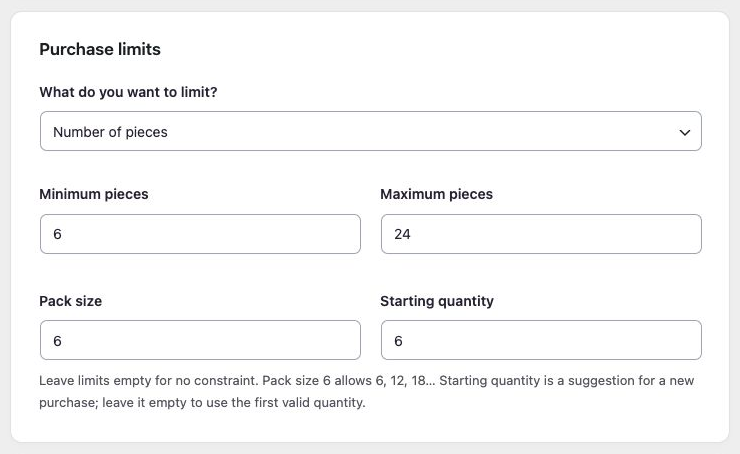
Screenshots show the English interface. Demo products, prices and settings are examples.
LESS IMAGINING. MORE TRYING.
Try WooCommerce quantity limits yourself.
Fill a cart. Discover how your buying rules work.
Be the customer.
Try pack sizes, minimum quantities and order-value rules with sample products.
Try frontend demoMake it your store.
Edit quantity rules, change limits and check what happens in your own store demo.
Try admin demoYour personal admin demo lasts 60 minutes. Use sample details: no real payments or external emails.
Ready to try it in your store?
Get the free plugin Find the free download at the top of this page.MORE CONTROL WHEN YOU NEED IT
Control quantity rules, exclusions and messages.
Explain minimum quantity and order limits
Explain the restriction with built-in messages or your own wording and variables.
Read the guideInclude or exclude products from quantity rules
Edit, duplicate, pause and review bulk changes from one rule list.
Read the guideConnect quantity rules through documented hooks
React to rule changes using a defined PHP hook, with a complete integration example.
Read the guideHOOKSPARK INTEGRATIONS
Connect quantity limits with discounts and cart notices.
Each plugin works independently. Installing them together does not create rules or messages automatically.
Pricing + Min/Max
Offer a discount and keep your purchase limits. Pricing calculates the promotion; Min/Max checks the quantity and order amount.
A three-for-two offer still counts as three units. If your minimum spend is calculated after discounts, the discounted total must still meet it.
Set it up
Configure the promotion in Pricing and the purchase limits in Min/Max. Choose whether the minimum amount is checked before or after discounts.

Min/Max + Messages
Show a message when the cart meets your current Min/Max quantity and amount rules. Keep the conditions connected to the rules you already manage.
Show a confirmation once the required quantity and minimum spend are met. This does not guarantee that every other checkout requirement is satisfied.
Set it up
Configure Min/Max, then enable its condition in the message’s HookSpark connections. Other message conditions must also match.
Messages connections require compatible versions of both plugins. If a connected provider is inactive or unsupported, its dependent message stays hidden.
Read the Messages connection guide →Compatibility
Selected local checks; open the details for exact versions and limits.
Tested scenarios and limits
BEFORE YOU INSTALL
WooCommerce Min/Max compatibility and current limits.
Compatibility should describe what has actually been checked. Our first release is still in preparation.
Read the compatibility notes ↗- Edition
- Free, standalone · No Pro upgrade
- Development version
- 0.12.0
- Local purchase tests
- Classic cart/checkout, Blocks, variations and HPOS in the recorded test environment
- Plugin languages
- English source and Italian translation
- Third-party themes & builders
- Extended testing pending; no universal compatibility claim
Platform requirements
- WordPress
- 6.8 minimum · tested through 7.1
- WooCommerce
- 10.6 minimum · tested through 11.1
- PHP
- 8.2 minimum · verified on 8.2.29
Verified combinations: WordPress 6.8 + WooCommerce 10.6.0, and WordPress 7.1 + WooCommerce 11.1.0, on PHP 8.2.29. Follow the WordPress requirement of your installed WooCommerce version. Other PHP branches and every intermediate combination have not been verified.
Astra and WPML: tests of 6 October 2026
The Free 0.12.1 edition passed selected quantity-rule checks on WordPress 7.1.2, WooCommerce 11.1.0, PHP 8.2.29, HPOS, Astra Free 4.14.0/Pro 4.13.10, WPML CMS and String Translation 5.1.0, and WooCommerce Multilingual 5.6.2. On an Astra product page, quantity 2→4 followed the configured minimum 2, maximum 6 and step 2. English/Italian fixtures and WooCommerce cart/order coexistence were checked.
The tests do not prove automatic translation of every saved rule or all product/variation combinations. These selected local checks do not certify every theme module, translated custom field, currency, browser, builder or cache setup.
Elementor Free and Pro: 9 October 2026
Quantity limits and steps work in the Free Shortcode product/cart path and the Pro Single Product Add to Cart and Cart widgets. A step of six rejected seven items and retained valid quantities through native WooCommerce orders.
Store-specific variation rules, custom quantity widgets and every theme remain separate checks.
Checked with Elementor Free 4.3.4 and Pro 4.3.1 on WordPress 7.1.3, WooCommerce 11.1.0 and PHP 8.2.29.
PRODUCT CHANGELOG
Latest updates
Recent development updates. Select a row to read the details.
HS Min/Max QuantitiesNative cart quantity validation for WooCommerce 11.20.13.2
Free maintenance update
Native cart quantity validation for WooCommerce 11.2
- Reject invalid Store API cart quantity edits before assignment using WooCommerce 11.2 native validation.
- Preserve variation rules, selected attributes, combined counts and recovery behavior.
- Keep first-add validation and the rollback adapter for supported earlier WooCommerce versions. No rule-data migration; standalone Free.
HS Min/Max QuantitiesElementor Free and Pro: tested WooCommerce pathsTested 0.13.1
Selected local builder checks — see scope and limits
Elementor Free and Pro: tested WooCommerce paths
- Quantity limits and steps work in the Free Shortcode product/cart path and the Pro Single Product Add to Cart and Cart widgets. A step of six rejected seven items and retained valid quantities through native WooCommerce orders.
- Store-specific variation rules, custom quantity widgets and every theme remain separate checks.
- Test stack: Elementor Free 4.3.4 / Pro 4.3.1, WordPress 7.1.3, WooCommerce 11.1.0, PHP 8.2.29, Twenty Twenty-Five.
- All supplied editions include dated compatibility notes inside their ZIP package; the first browser checks were recorded on 9 October and final native checks on 10 October.
HS Min/Max QuantitiesConnect your AI and review configuration proposals0.13.0
Optional AI access — human approval required
Connect your AI and review configuration proposals
- Read supported plugin configuration and prepare validated proposals through the official WordPress MCP Adapter.
- Use one HookSpark AI access switch and review screen for installed plugins; the same WordPress user approves changes within 15 minutes.
- Manual configuration remains available. AI proposals do not automatically apply changes or execute customer transactions.
HS Min/Max QuantitiesWPML compatibility: quantity rules and translated productsTested 0.12.2
Compatibility documentation update — selected tests and limits apply
WPML compatibility: quantity rules and translated products
- Selected English/Italian cart and order checks passed with WPML active; automatic translation of every saved quantity rule was not established.
- This is a scoped coexistence/translation observation, not a certification of all multilingual paths.
- Test stack: WordPress 7.1.2, WooCommerce 11.1.0, PHP 8.2.29, HPOS, Astra Free 4.14.0/Pro 4.13.10, WPML CMS/String Translation 5.1.0 and WCML 5.6.2.
- Package documentation: 0.12.2 includes the dated compatibility note; underlying test versions and limitations are recorded below.
HS Min/Max QuantitiesAstra compatibility: quantity controlsTested 0.12.2
Compatibility documentation update — selected tests and limits apply
Astra compatibility: quantity controls
- The Free 0.12.1 Astra product page respected minimum 2, maximum 6 and step 2.
- The result is limited to the recorded local theme and plugin versions.
- Test stack: WordPress 7.1.2, WooCommerce 11.1.0, PHP 8.2.29, HPOS, Astra Free 4.14.0/Pro 4.13.10, WPML CMS/String Translation 5.1.0 and WCML 5.6.2.
- Package documentation: 0.12.2 includes the dated compatibility note; underlying test versions and limitations are recorded below.
GOOD QUESTIONS
WooCommerce minimum order quantity: common questions.
Is this a free trial?
No. HS Min/Max is being developed as a standalone free plugin. There is no premium edition to unlock. Public distribution is still being prepared.
Can I set a minimum order amount?
Yes. Amount rules can use before- or after-discount values, with explicit tax and whole-cart shipping/fee options. See the calculation examples.
Can customers mix different variations?
Use a combined selection to count variations together. An individual parent rule instead checks each variation separately. Other active rules still apply.
Does it apply quantity discounts?
No. It validates purchase quantities and amounts; it does not calculate discounts or change product prices.
What happens if two rules overlap?
Every applicable independent rule must be satisfied. A variation can explicitly replace a specific parent rule, but there is no general last-rule-wins behavior.
Can I connect my AI?
Connect a compatible AI client to read rules and propose supported quantity or order-amount rules. Review and approve in WordPress before anything is saved. The shared switch does not connect a client by itself. Read the current scope.
Where can I download it or try a demo?
Use Download free at the top of this page for the development ZIP, or View live demo to try the store. Inside the demo, Try the admin demo creates a personal sandbox that expires after 60 minutes. These links currently work in our local preview; public distribution is still being prepared.
What was tested with Astra and WPML?
Selected local scenarios were run on WordPress 7.1.2, WooCommerce 11.1.0, PHP 8.2.29, HPOS, Astra Free 4.14.0/Pro 4.13.10, WPML CMS and String Translation 5.1.0, and WooCommerce Multilingual 5.6.2. Results differ by edition; the compatibility section above records the observed behavior, failures and untested paths.
OPTIONAL AI CONNECTION
Describe your setup. Review the proposal.
Connect your compatible AI client to read supported settings and prepare a configuration proposal. Prepare quantity, pack-size and order-amount rules for the products you choose.
- Enable access once in HookSpark → Connect your AI.
- Ask your AI to prepare supported changes.
- Review the details in WordPress and approve before anything is saved.
One connection serves your installed HookSpark plugins. Manual controls remain available. Proposals expire after 15 minutes and must be approved by the same WordPress user.
See connection requirements, supported actions and setup steps →
YOUR NEXT STEP
Try your first WooCommerce quantity rule.
Follow the illustrated walkthrough, then explore the settings that matter for your store.
Open the first-rule guide ↗